
One workspace. Complete commerce visibility.
Your store at a glance.
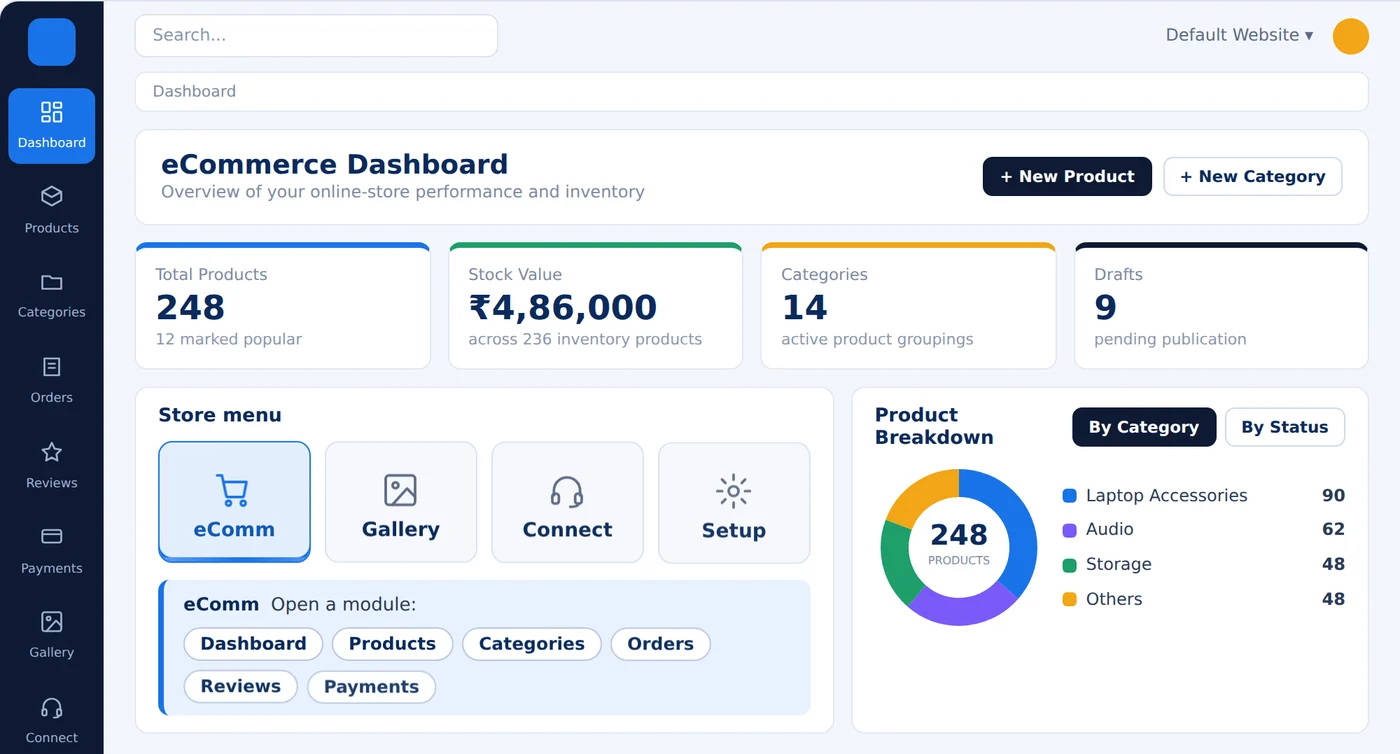
Start every walkthrough here. The dashboard gives management a quick view of the health and activity of the store, and its quick buttons save clicks on the most common daily tasks.

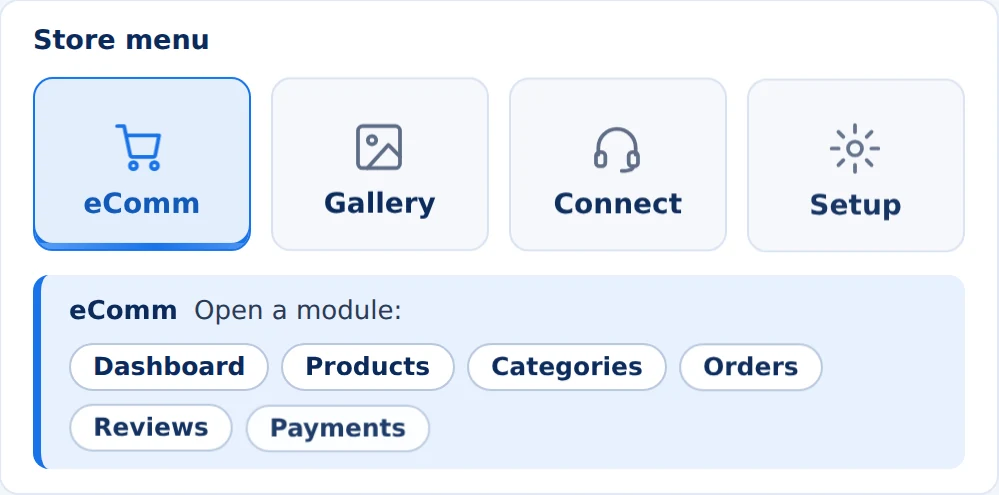
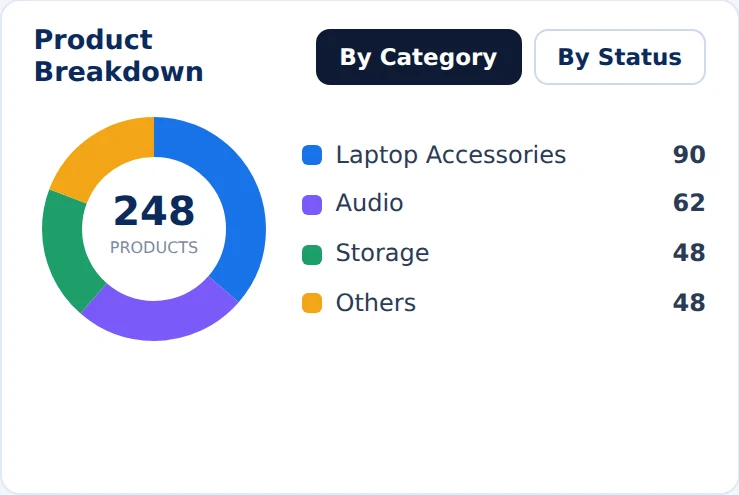
- Total products, stock value, categories and drafts at the top of the dashboard.
- Revenue, orders and products for the last six months with live trends.
- Product breakdown by category and by status, with New Product and New Category buttons within reach.
Manage the whole catalog, from one product to thousands.
The catalog screens support both day-to-day maintenance and larger migrations. Clients with hundreds or thousands of SKUs can move data in bulk instead of creating every item by hand.
Products
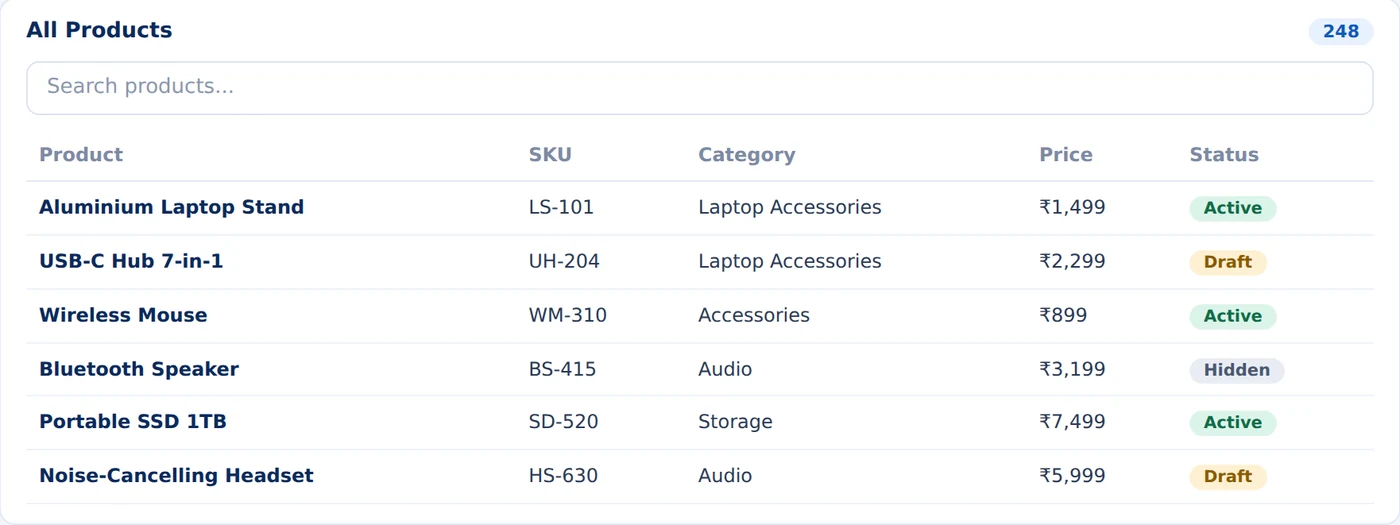
Manage your eCommerce inventory in one list. Each row shows the name, SKU, category, price and a status of Active, Draft or Hidden.
- Search dynamically by product name, SKU or keyword.
- Download a template, then import many products at once via CSV.
- Export catalog data for executive reporting, backup or ERP sync.
Categories
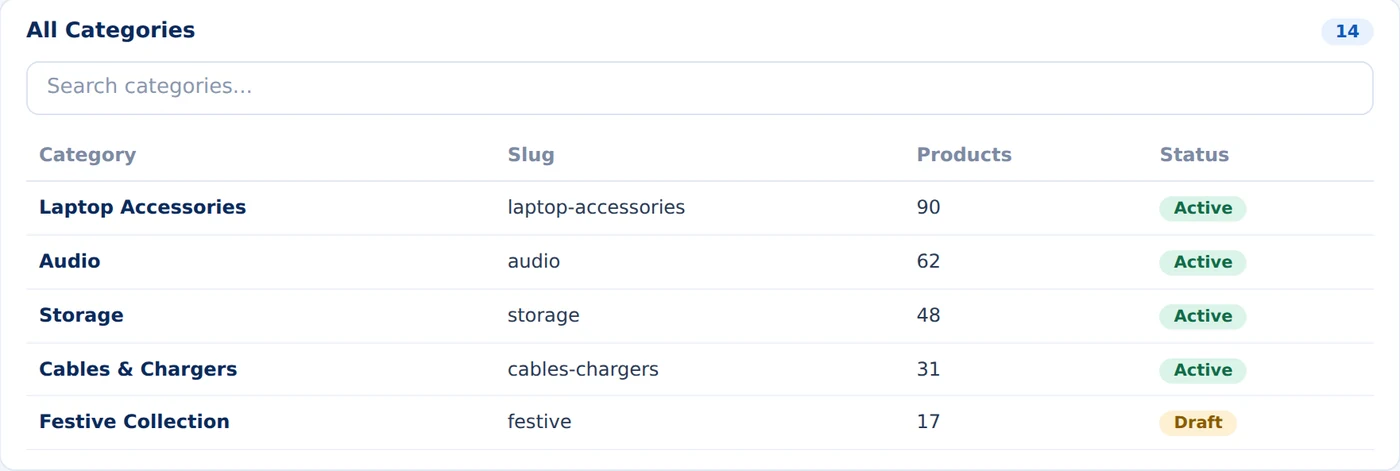
A well-structured catalog helps shoppers find what they need. Collections add a merchandising layer for themes, campaigns and storefront navigation.
- Search, create, import and export product categories effortlessly.
- Seamless navigation between Categories and All Products listings.
- Collections add a merchandising layer for campaigns and festive sales.
From idea to storefront-ready product.
The product form connects identity, SEO, visibility, tax data and media in one publishing flow. Each step tells you what to check and why.
-
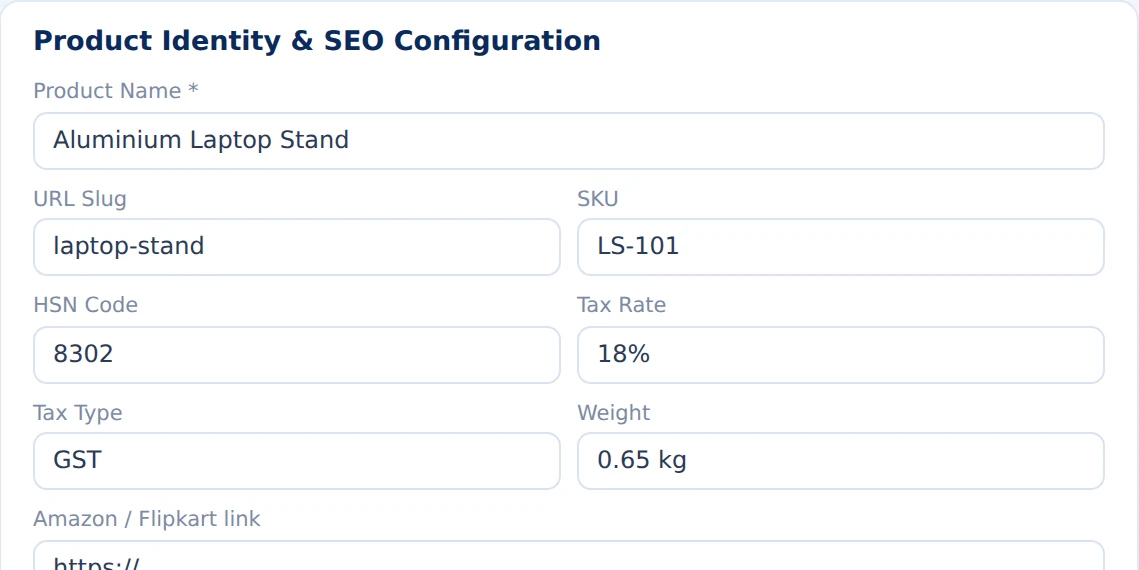
1Product identityEnter the product name shoppers will see.
-
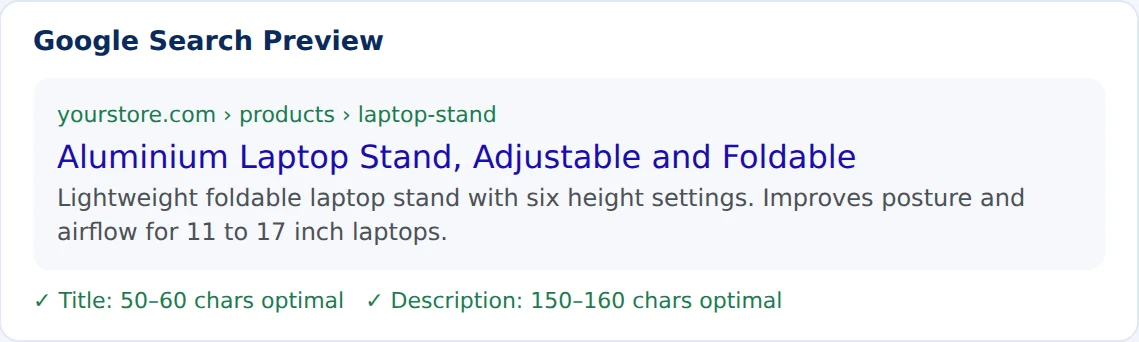
2URL and SEOVerify the URL slug, write a description, review the Google preview.
-
3SEO guidanceKeep titles at 50–60 characters and descriptions at 150–160.
-
4Operational dataAdd SKU, weight, HSN code, tax rate and tax type.
-
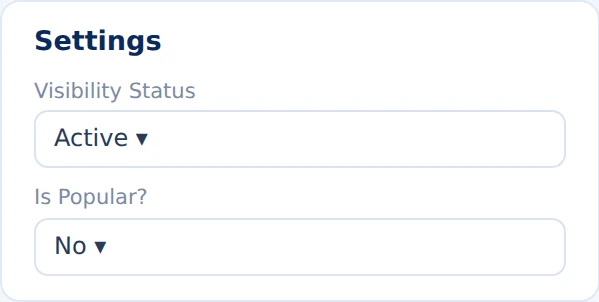
5VisibilitySet Active, Draft or Hidden. Mark popular products to feature them.
-
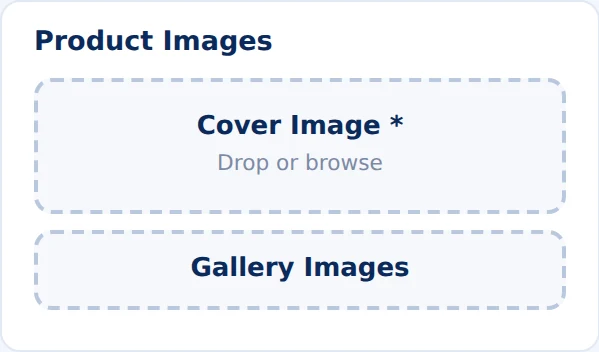
6MediaUpload a cover image and optional gallery images.
-
7External linksAdd Amazon or Flipkart links when relevant.
-
8Final reviewCheck every field for gaps and typos, then publish.
Try the search preview
Titles work best at 50–60 characters, descriptions at 150–160. Type to see how a search result would look in real time.
Lightweight foldable laptop stand with six height settings. Improves posture and airflow for 11 to 17 inch laptops.
Follow every purchase and hear from customers.
Orders tie each customer purchase to its payment. Reviews build trust and show what to improve.

Orders
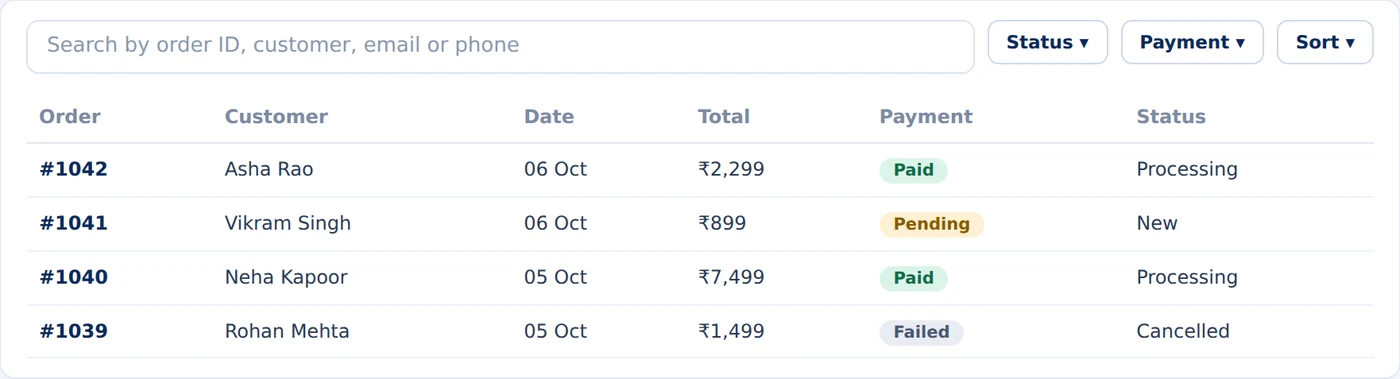
Search, filters and CSV export help your team follow every sale and report on it.
- Search by order ID, customer name, email address or phone number.
- Filter by order status and real-time payment status.
- Sort, refresh and export all order records to CSV with one click.
Customer reviews
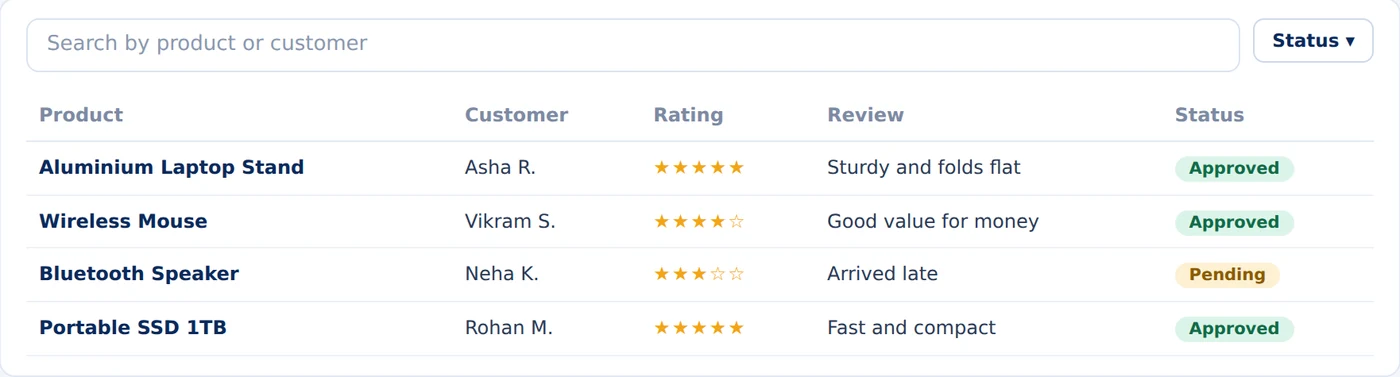
Reviews appear after customers submit them. Moderate and read feedback on your products, and find what needs attention fast.
- Search reviews by linked product or customer name.
- Filter reviews by approval status (Approved, Pending, Spam).
- Reviews appear with star ratings, buyer commentary and date.
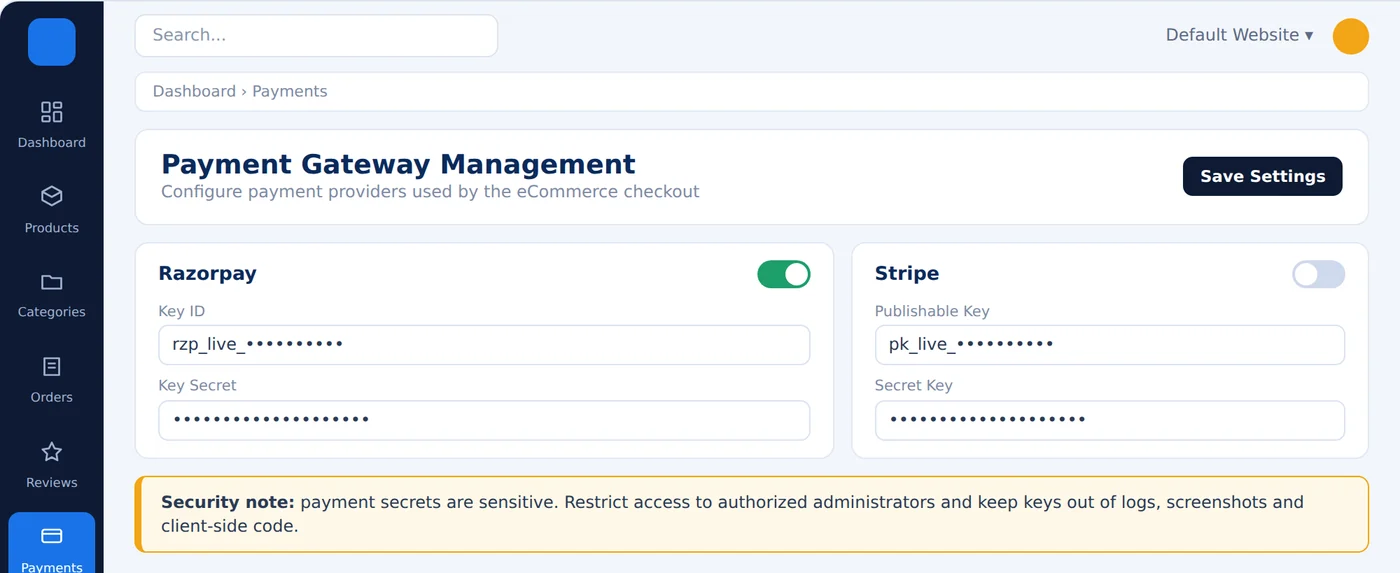
Connect checkout to your payment gateway.
Checkout connects to Razorpay or Stripe once credentials are saved and the gateway is enabled. Enable or disable each gateway, then save.


Keep every store image in one place.
Albums, all photos and uploads sit together, so a campaign or product line is easy to find later.

Album
Albums keep related photos together. Each album card shows its cover and photo count.
- Create albums for products, marketing banners and festive campaigns.
- Inspect photo counts each album holds at a glance.
- Open an album to browse its dedicated asset library.
All Photos
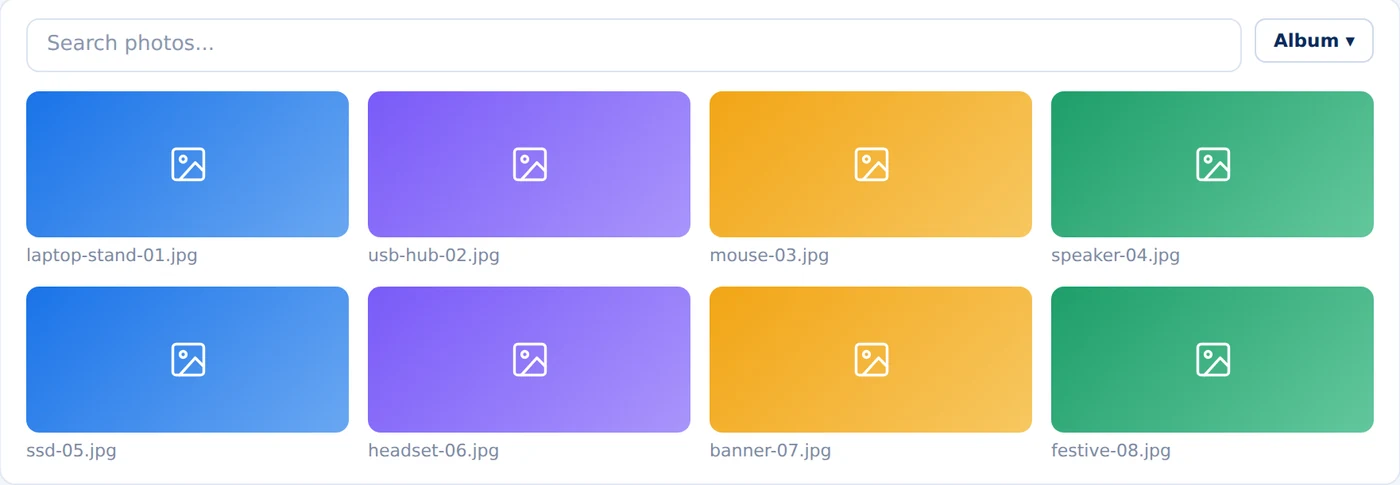
One place to see every image in your gallery. Search by file name or narrow the grid to a single album.
- Search photos instantly by file name or extension.
- Filter by album to isolate specific campaign visuals.
- Upload new photos directly from the same page without navigating away.

Upload
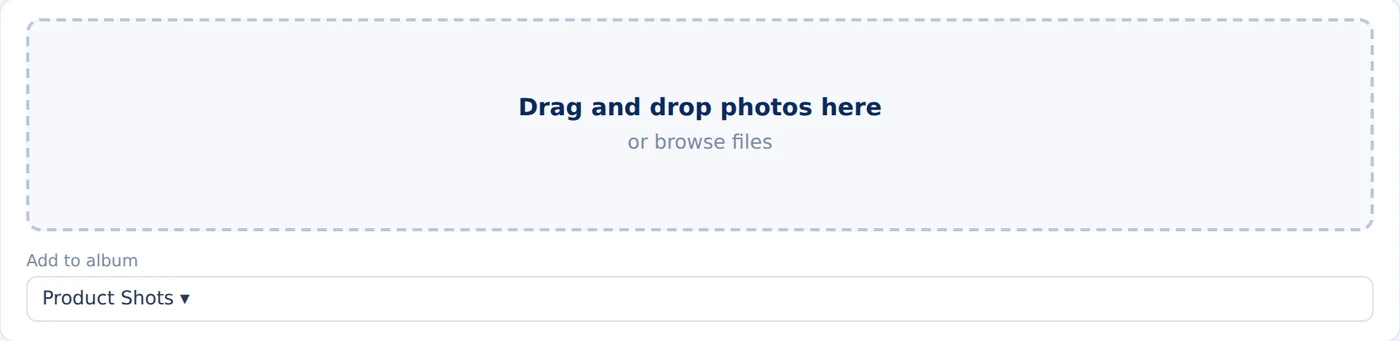
Add many photos at once and file them straight into an album.
- Drag and drop photos or browse files directly from your computer.
- Choose the album each photo belongs to before uploading.
- Watch the live progress of every file in the upload queue.
Stay in touch with visitors.
Read contact messages and manage your subscribers, so nothing gets missed.
Contact
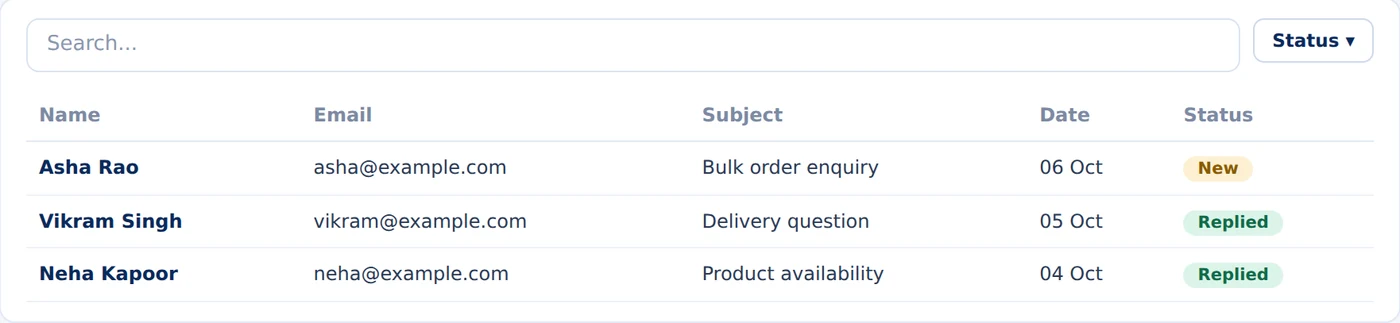
Messages from your contact form land here. A status tells you what is new and what has been answered.
- Read inquiries sent directly through your storefront contact form.
- Track date and status of each customer inquiry (New / Replied).
- Filter by status to clear out unanswered messages swiftly.
Subscribers
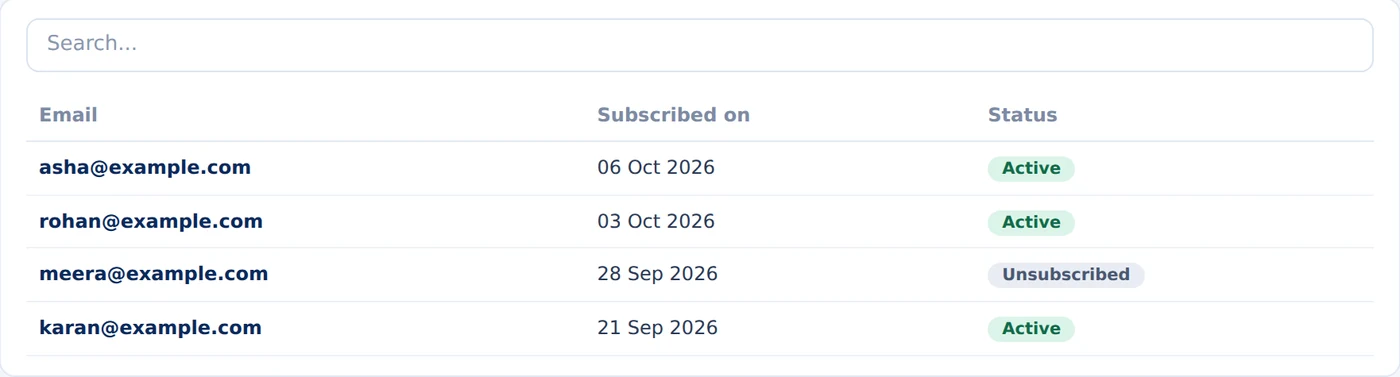
Everyone who signed up for your updates, in one list. Export it when you need to reach them elsewhere.
- Review subscriber list with email address and subscription timestamp.
- Audit subscription status (Active vs Unsubscribed).
- Export the list to CSV for email campaigns and marketing sync.
Configure the website behind your store.
Its details, users, general settings, About page, social links, place codes and payment gateways. Pick a page to see it at full size.
Website
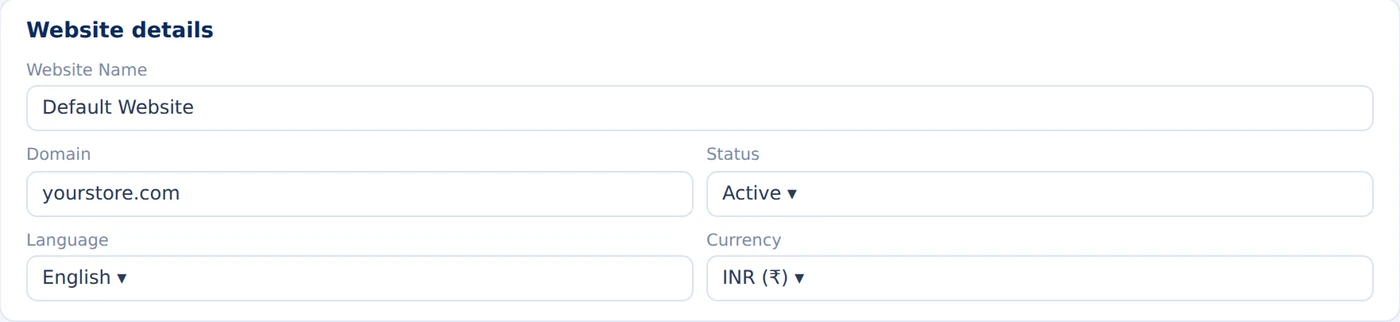
The basics of the website this store runs on. Change them here and save.
- Set website name and primary custom domain.
- Choose language and local currency (INR default).
- Toggle storefront between active and maintenance status.
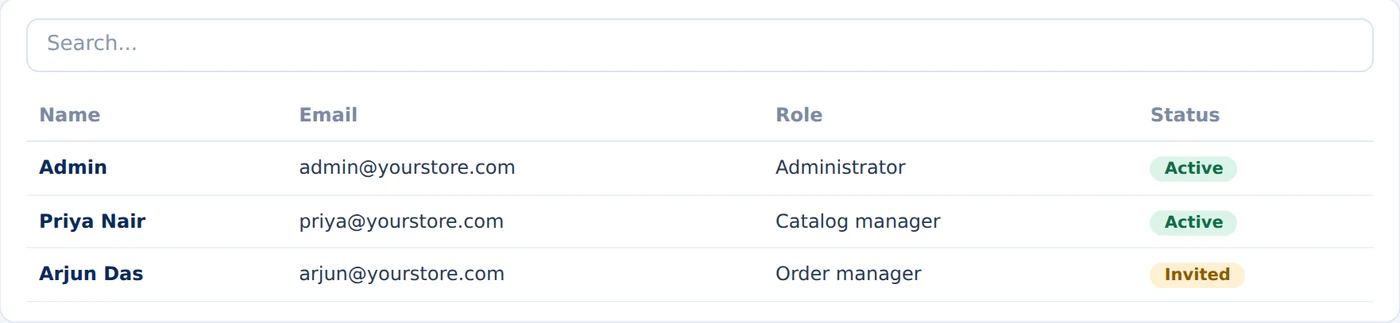
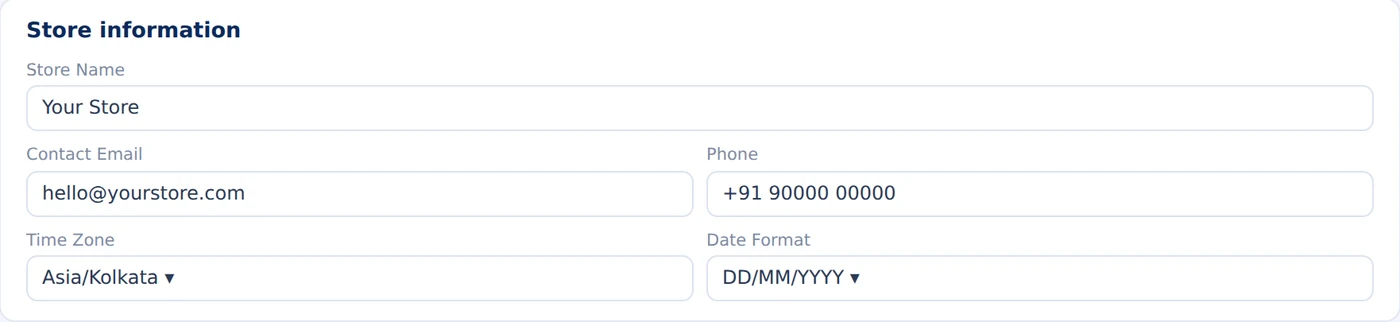
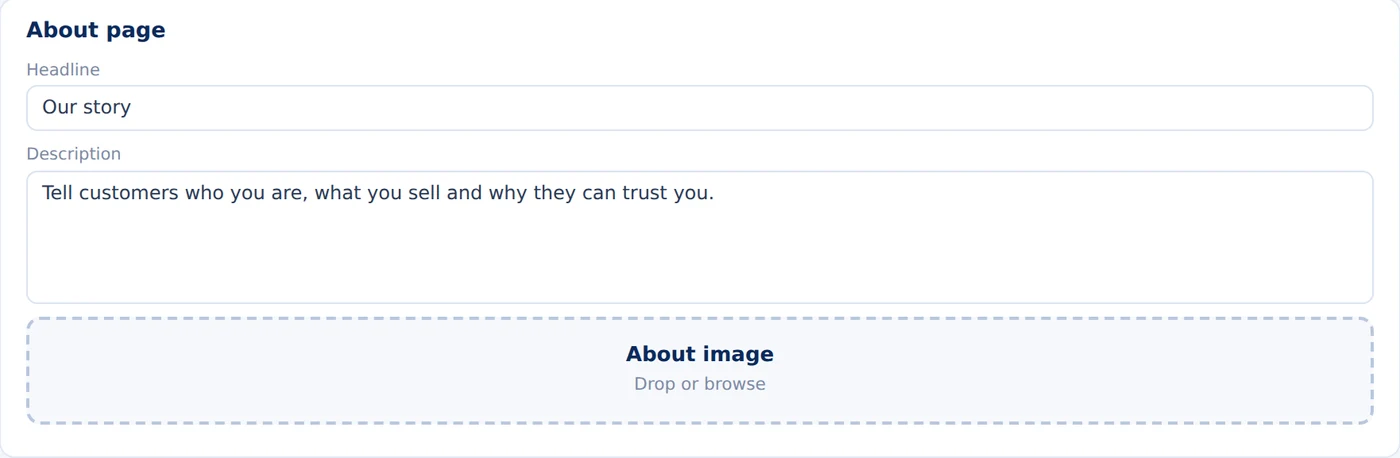
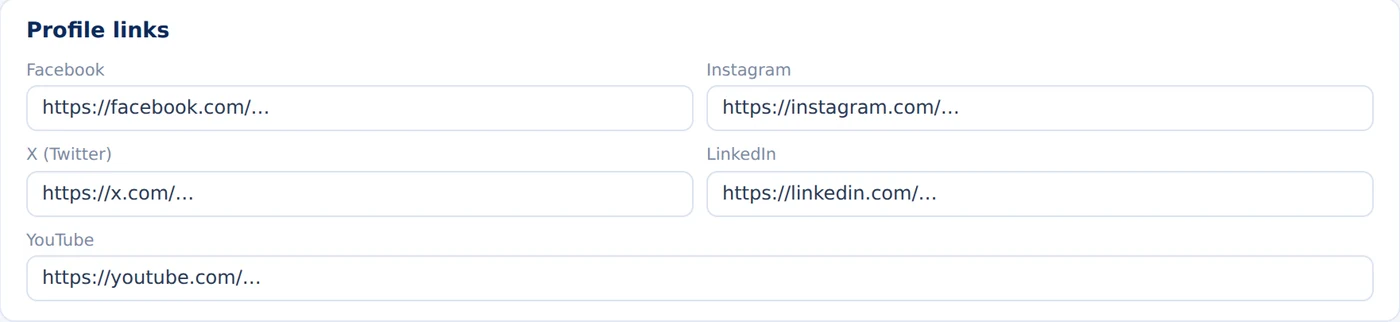
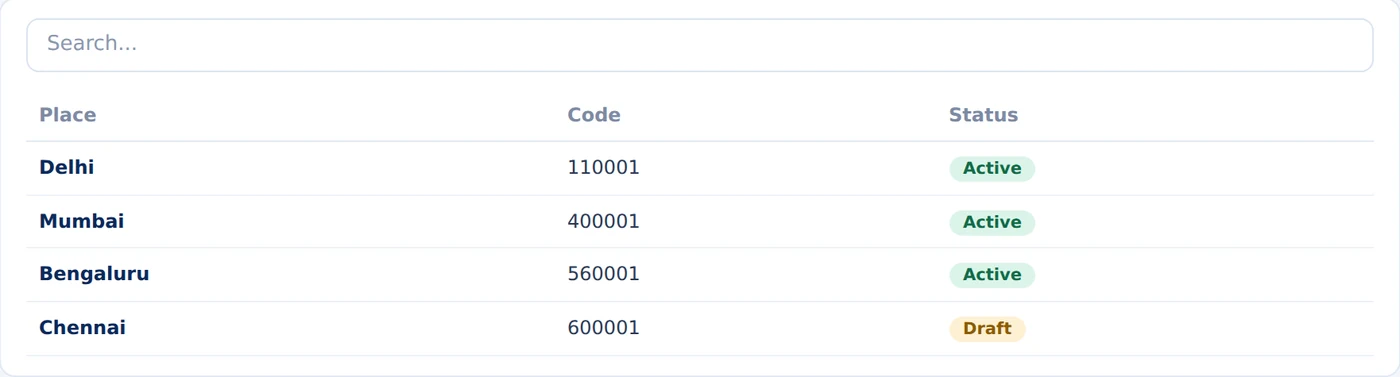
All 18 pages of eComm, Gallery, Connect and Setup.
Select a screen to open it full size. Names, figures and keys are sample data.
eComm
The store workspace. Manage the catalog, publish products, follow orders and payments, and read customer reviews.Gallery
Keep every store image in one place: albums, all photos and uploads.Connect
Stay in touch with visitors. Read contact messages and manage your subscribers.Setup
Configure the website: its details, users, general settings, About page, social links and place codes.One connected business journey.
The panel follows your store from setup to insight. Eleven steps run across three stages, and each one names the part of the product that handles it.
Before launch
Set up the catalog-
1Create categories CategoriesIn the panel
-
2Create or import products ProductsIn the panel
-
3Add SEO, tax and media New Product formIn the panel
-
4Activate product Visibility statusIn the panel
During operations
Sell and get paid-
5Customer discovers StorefrontStorefront
-
6Cart and checkout StorefrontStorefront
-
7Payment processed Payment GatewaysIn the panel
-
8Order created OrdersIn the panel
After purchase
Deliver and learn-
9Fulfill and ship Shipment toolsRoadmap
-
10Review ReviewsIn the panel
-
11Analytics DashboardIn the panel
Simple, Scalable Ecommerce Pricing
Sell products online, manage order fulfillment, receive instant payments, and track store revenue.
For new online stores up to 10 products.
- Up to 10 products & SKUs
- Razorpay, UPI & Cards checkout
- Order tracking
- Basic stock & inventory sync
- Verified customer review moderation
For scaling brands with active order volume.
- Unlimited products & categories
- Zero transaction commission fees
- Abandoned cart auto-recovery
- Account Manager
- Shiprocket & courier tracking API
- Revenue & top-seller analytics
- Priority technical support
For omnichannel retailers & multi-vendor ops.
- Multi-store & multi-warehouse sync
- Custom ERP & Tally integration
- Headless storefront GraphQL API
- Dedicated Ecommerce Strategist
- Custom payment gateway routing
- 99.95% high-availability SLA
* Transparent pricing with zero transaction cuts. Need custom marketplace or wholesale B2B features? Contact Sales.
Ready to manage your store?
Organize your catalog, receive orders, process payments, and grow your digital storefront in one unified workspace.