Complete control One login
The CRM menu
Every desk in the business, one left-hand menu.
Open CRM and the modules sit side by side: Inventory, Sales, Purchase, Ingram Micro, Banking, Accountant and CRM Reports. They share customers, items, vendors and accounts, so a number entered once shows up everywhere it matters.
Sales
Customers, quotations, orders, challans, e-Way Bills, invoices, credit notes and a customer portal.
12 working areasPurchase
Vendors, purchase orders, bills, payments made, recurring bills, vendor credits and expenses.
procure-to-payInventory
Items, warehouses, transfers, adjustments, price lists, barcodes and audit trail, plus valuation, ageing and dead-stock reports.
9 control screens · 8 reportsIngram Micro
Order from distributor catalog, sync active quotes, invoices, deals & track returns without leaving CRM.
catalog & ordersBanking
Bank accounts, inter-account transfers, transaction rules that categorise for you, and reconciliation.
accounts · transfers · rulesAccountant
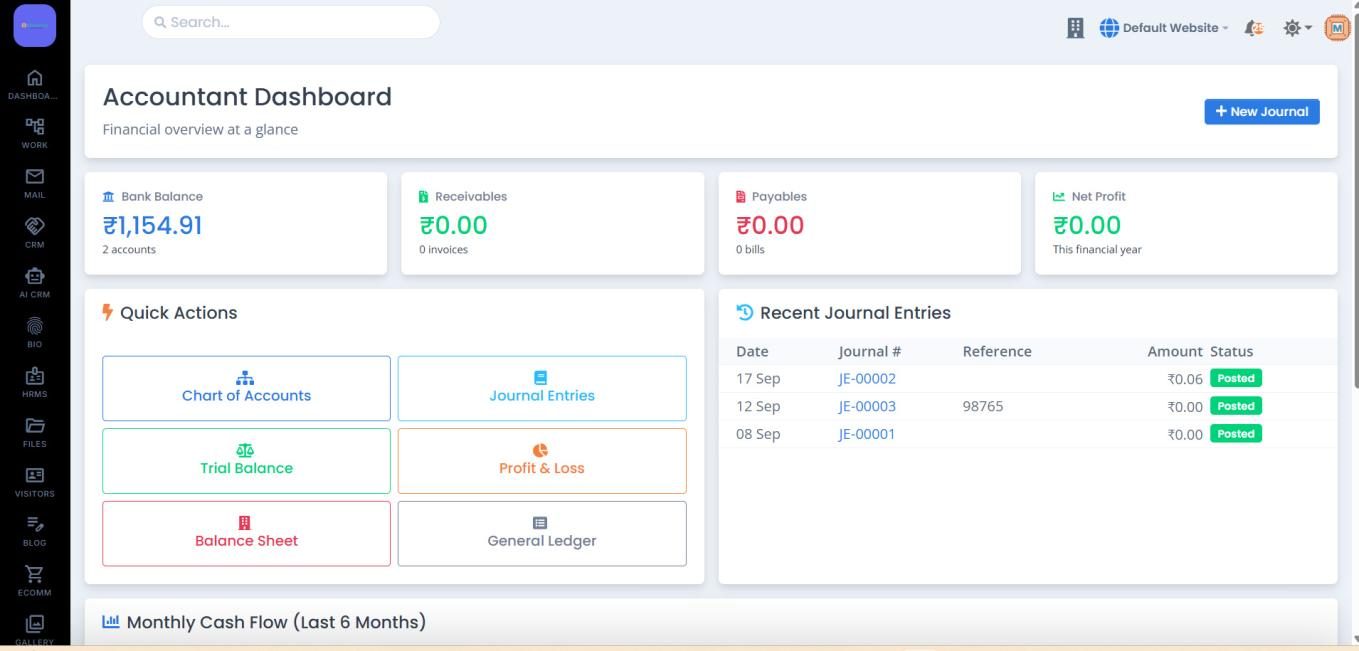
Chart of accounts, journal entries, trial balance, profit & loss, balance sheet and general ledger.
double entryCRM Reports
Sales, inventory, GST and financial reports in one hub, with live KPIs and a six-month revenue trend.
4 report groupsGST & compliance
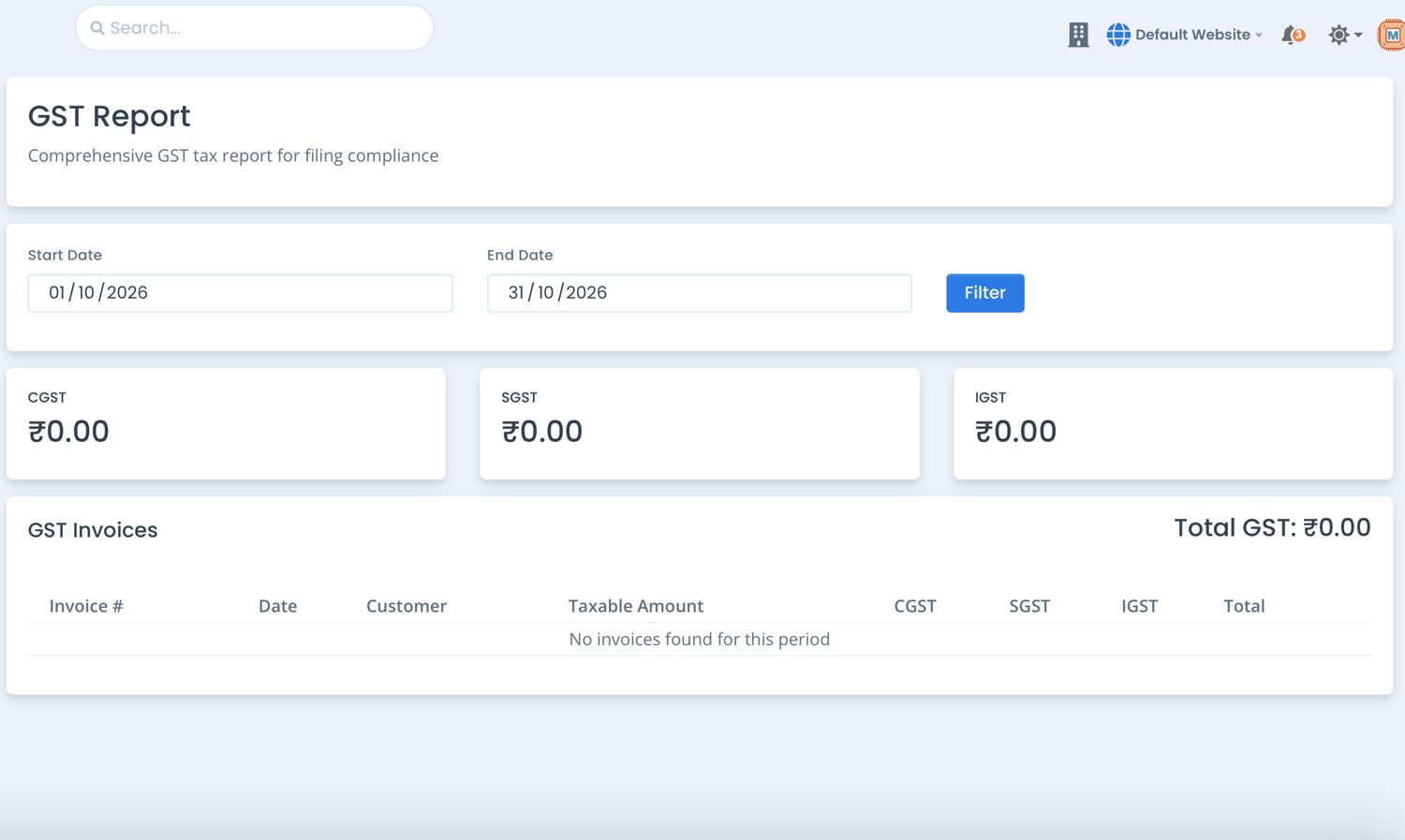
CGST, SGST and IGST by date range, GSTR-1 and GSTR-3B summaries, and e-Way Bill tracking.
built for IndiaCustomer portal
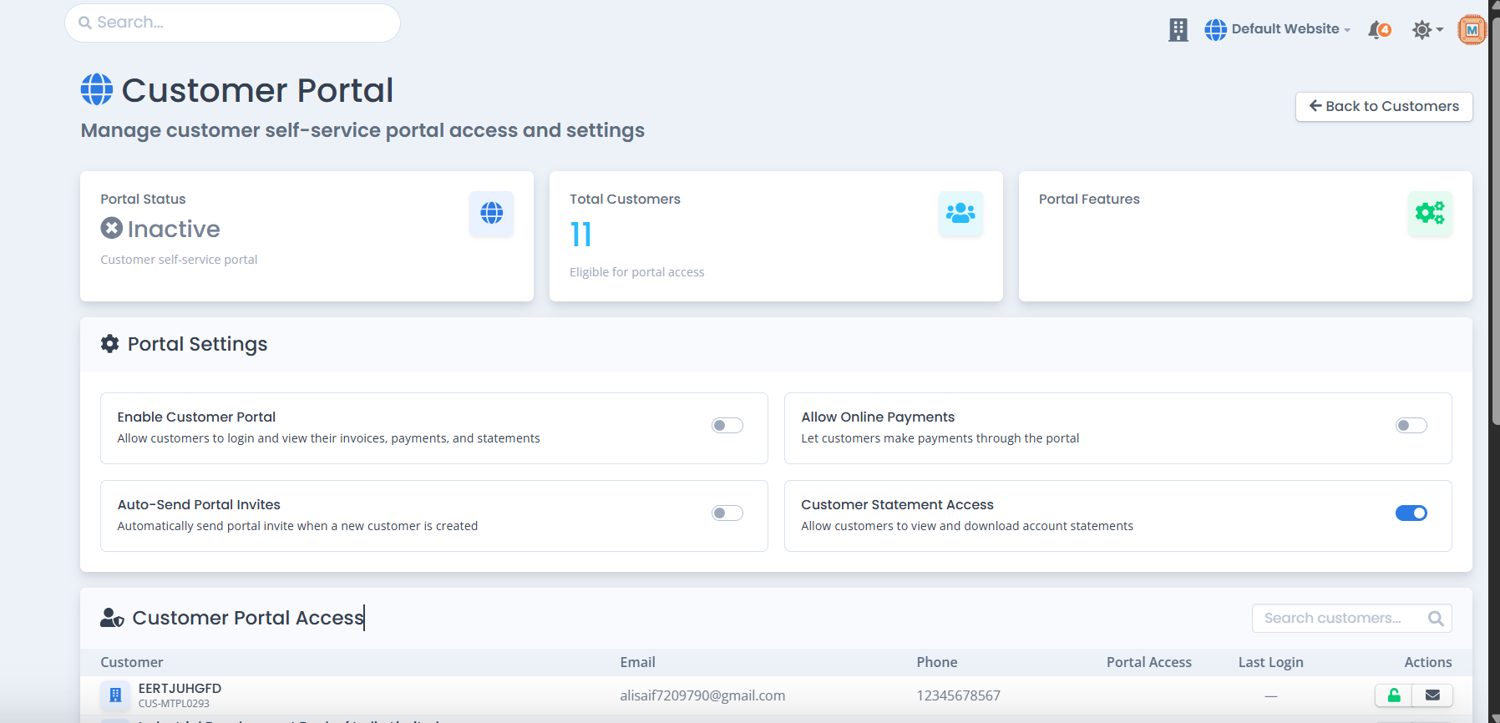
Give customers controlled access to their invoices, payments and statements.
self-serviceSales to cash
One chain from customer to report.
Pick a stage to see the screen your team works in and what it hands to the next step.
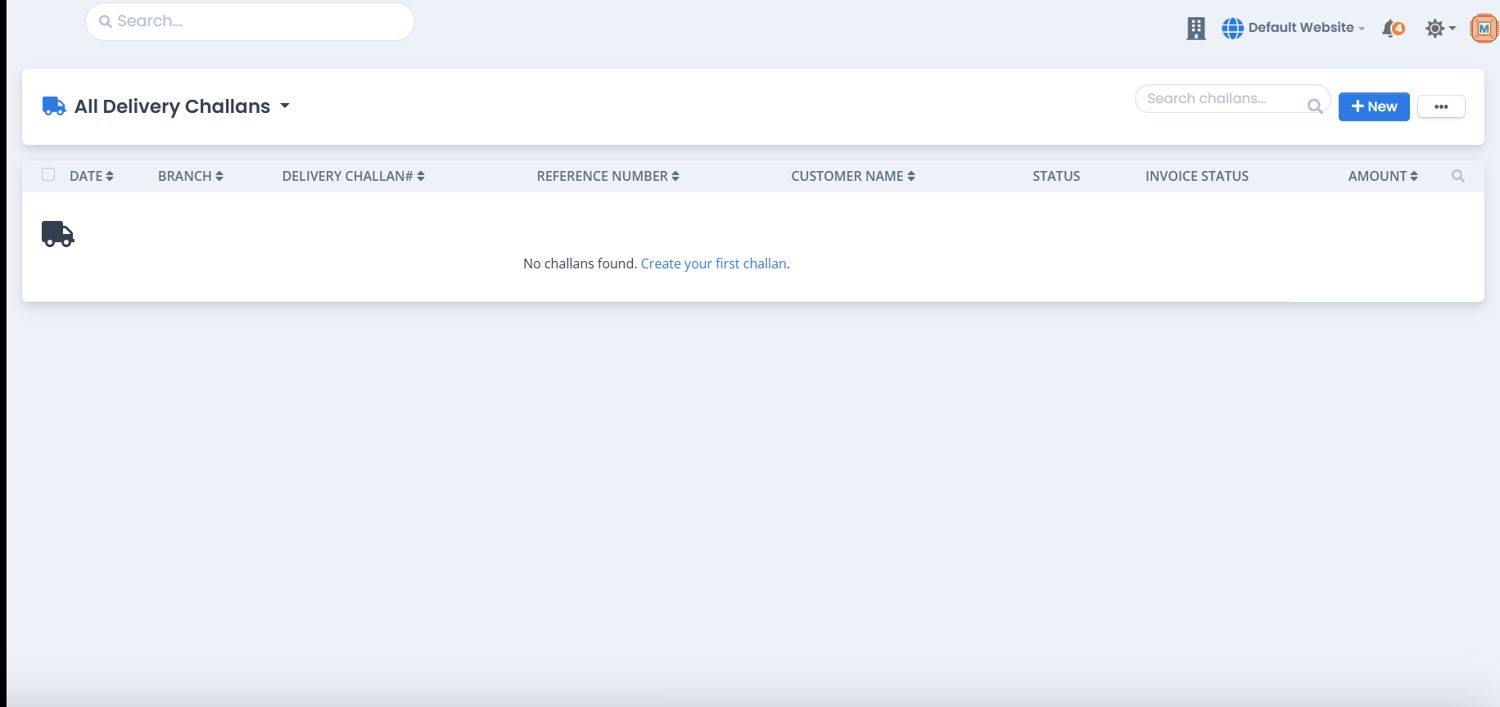
Customer → Quotation → Sales Order → Delivery Challan → e-Way Bill → Invoice → Payment → Reports. Direct billing skips the middle stages.
Sales
Quote, bill and collect without leaving the page you are on.
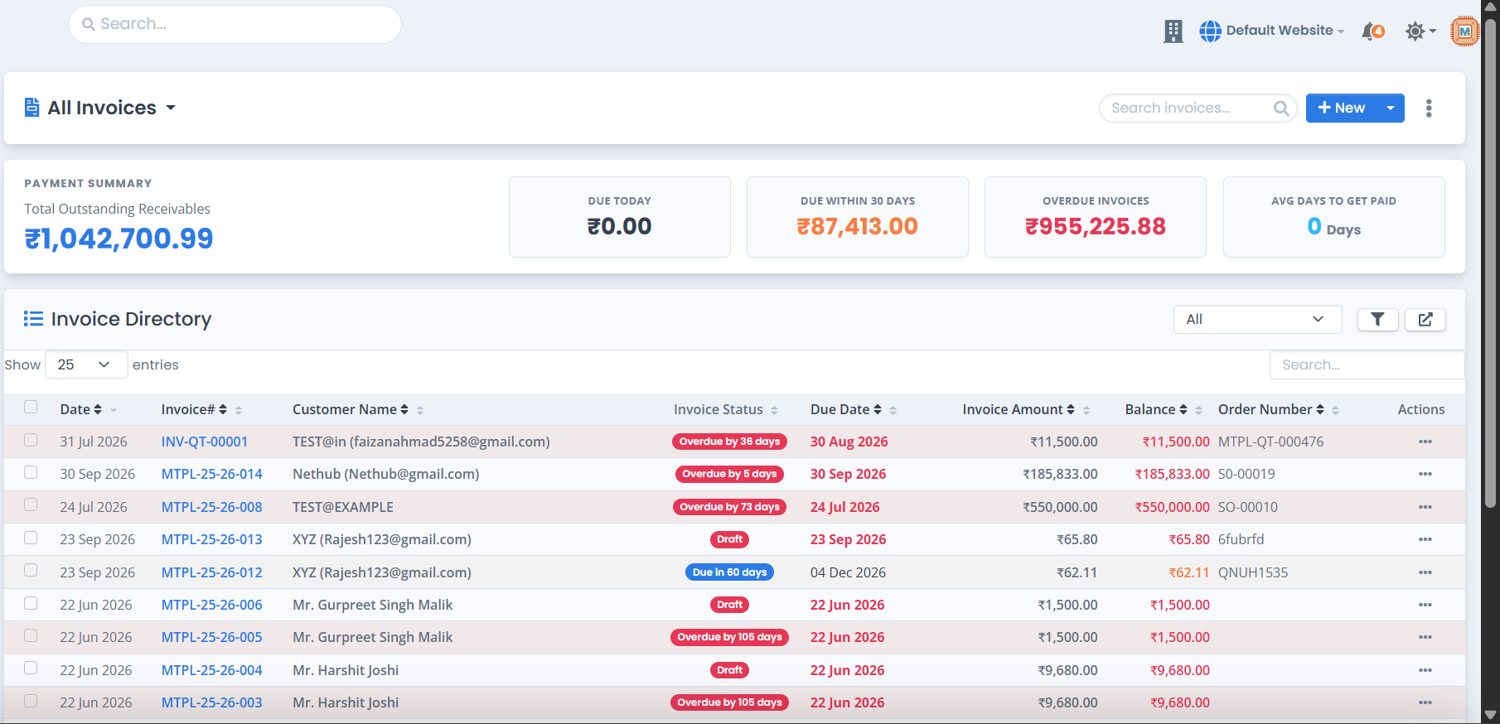
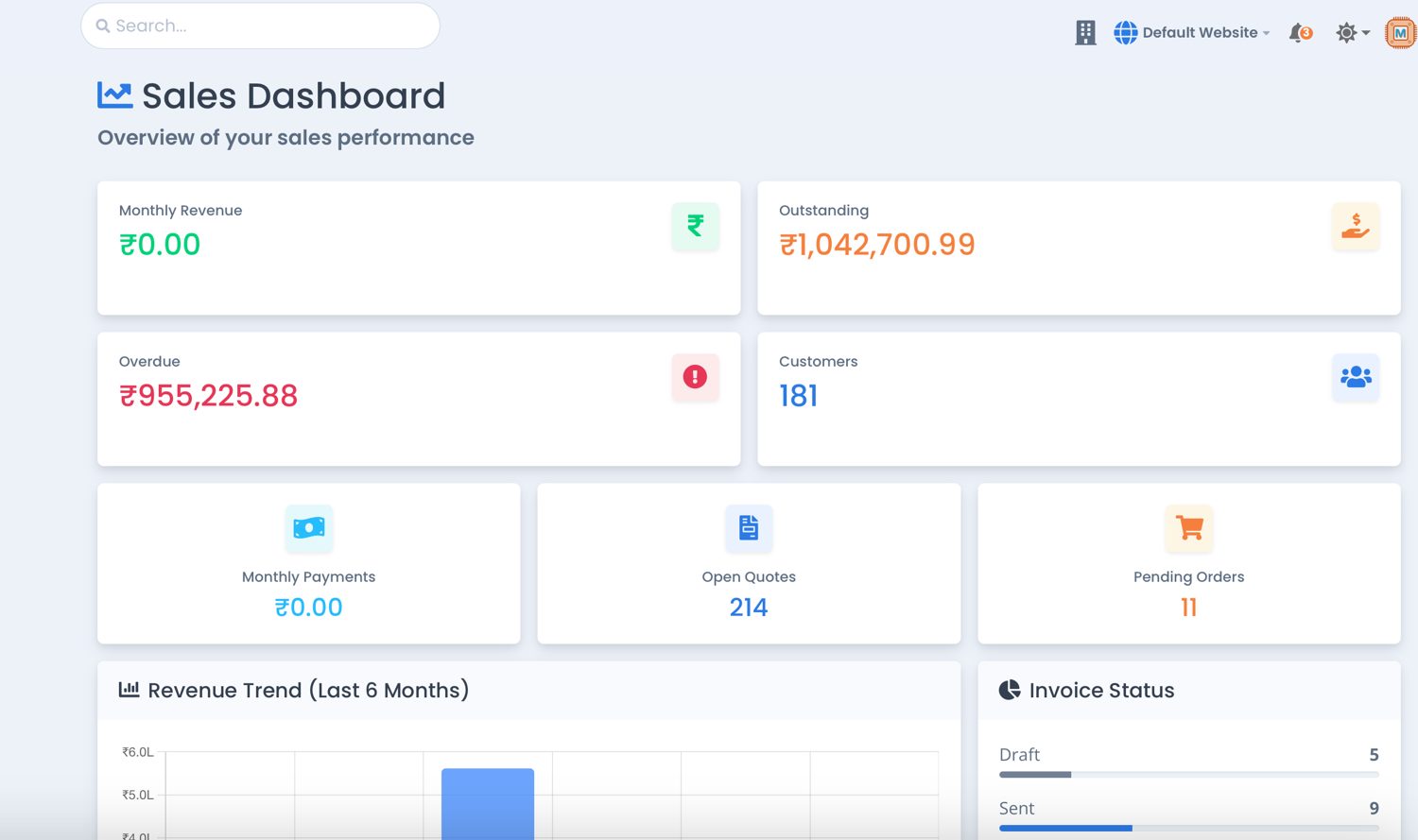
The sales dashboard opens on monthly revenue, outstanding and overdue amounts, customers, open quotes and pending orders. Every figure links to the work behind it.
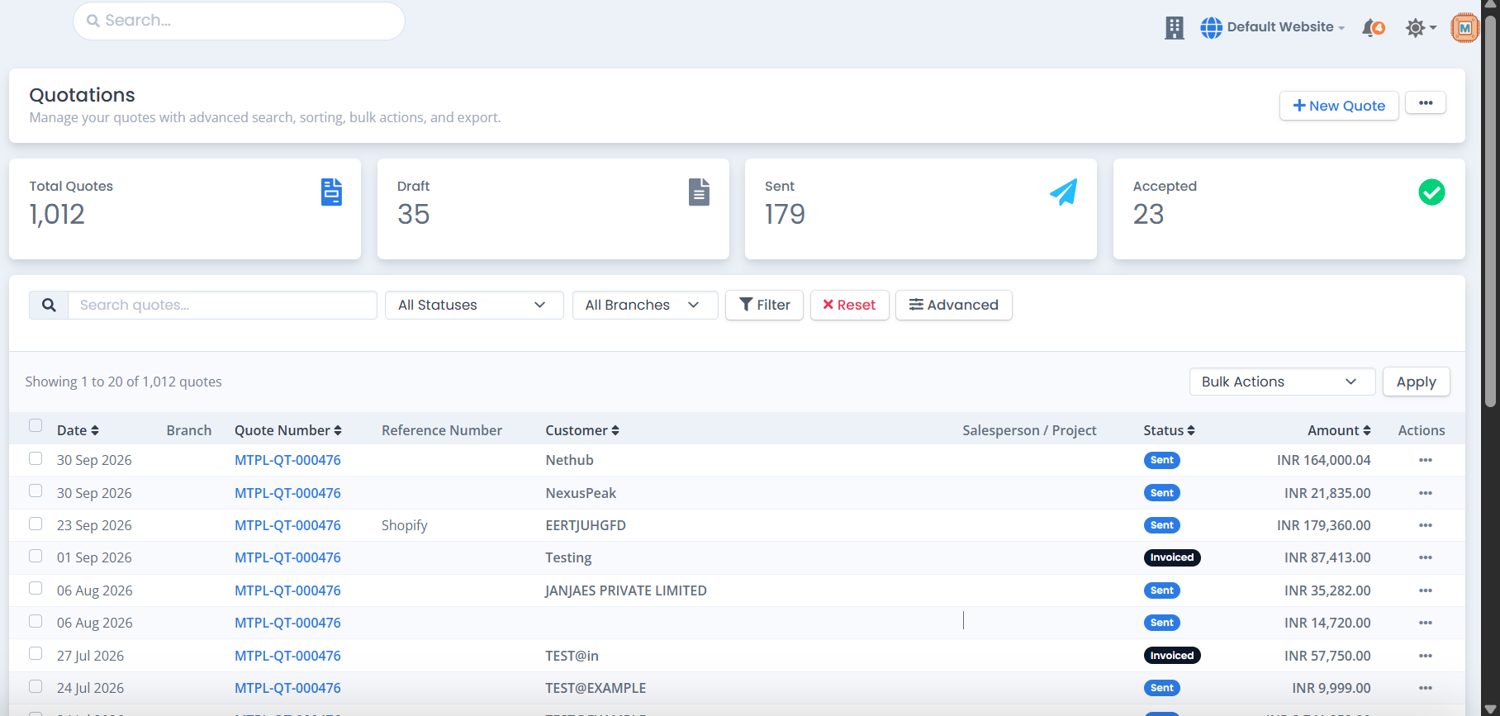
- Quotations saved as draft, sent, then tracked by status until accepted.
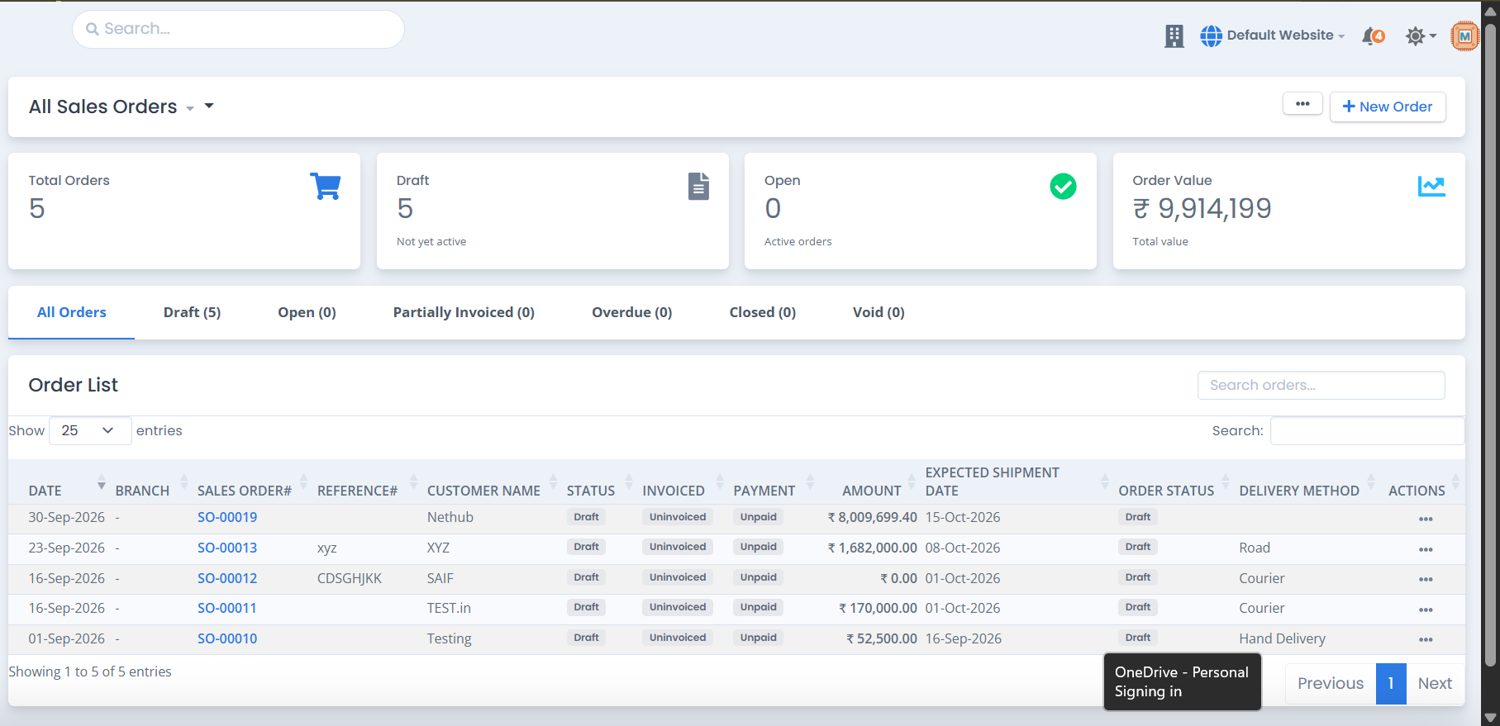
- Sales orders with items, pricing, terms, expected shipment date and delivery method.
- Invoices with tax, payment terms, due date and a live balance.
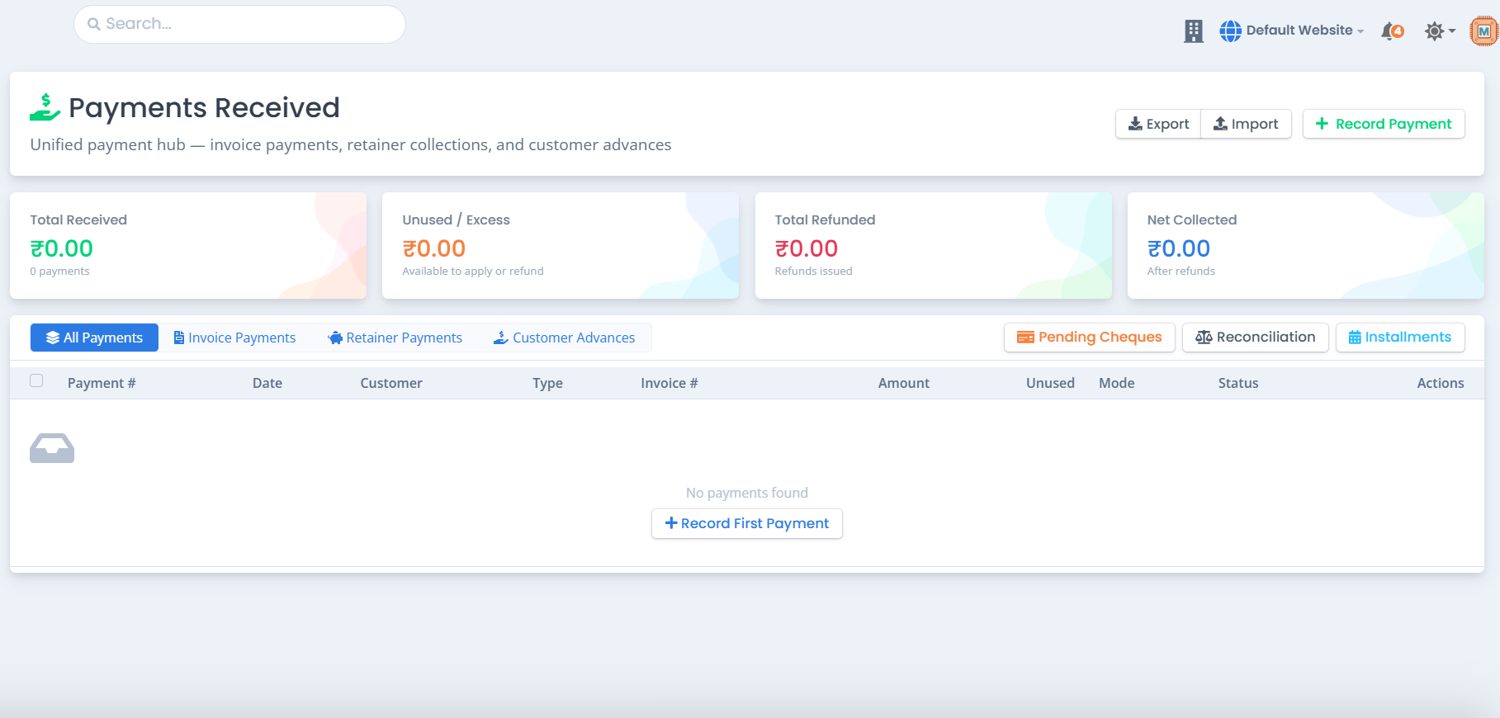
- Payments received applied to invoices, or kept as advance or excess.
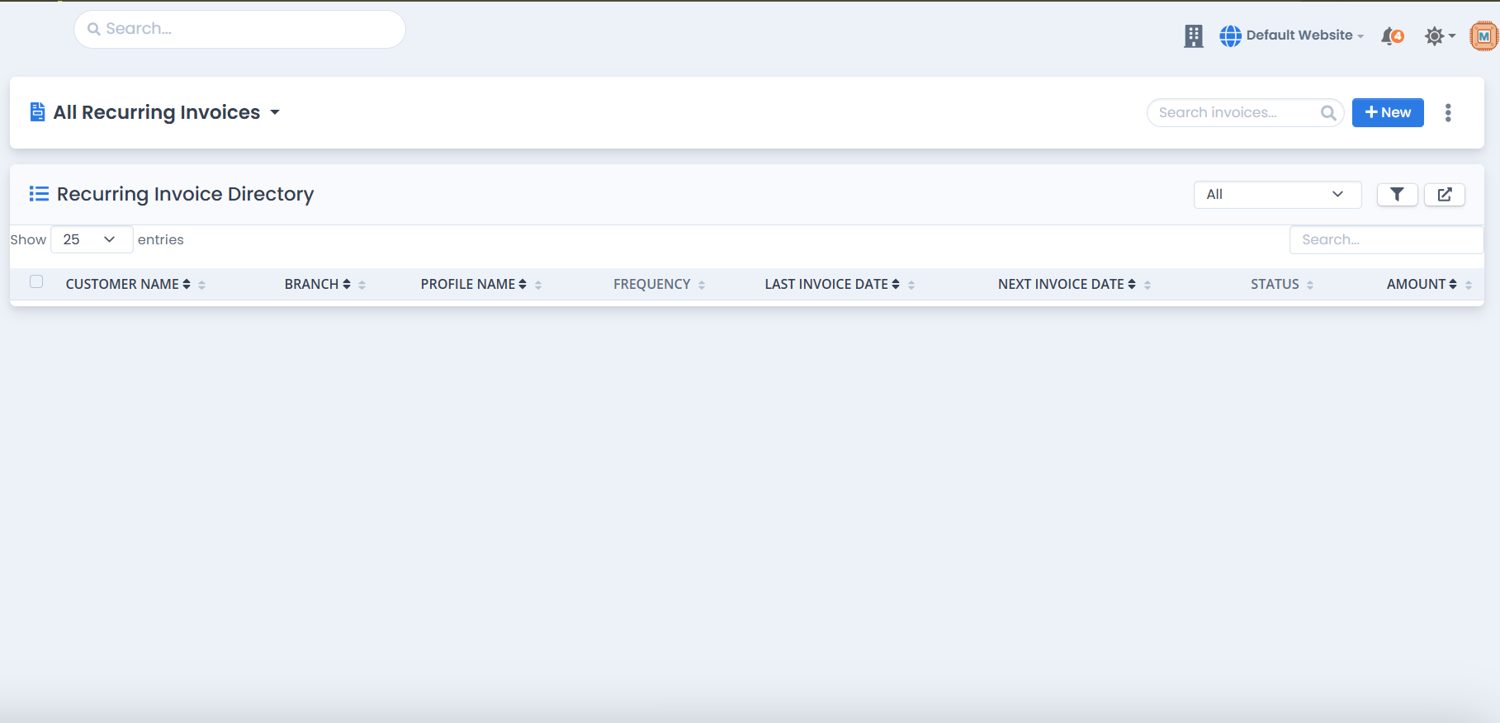
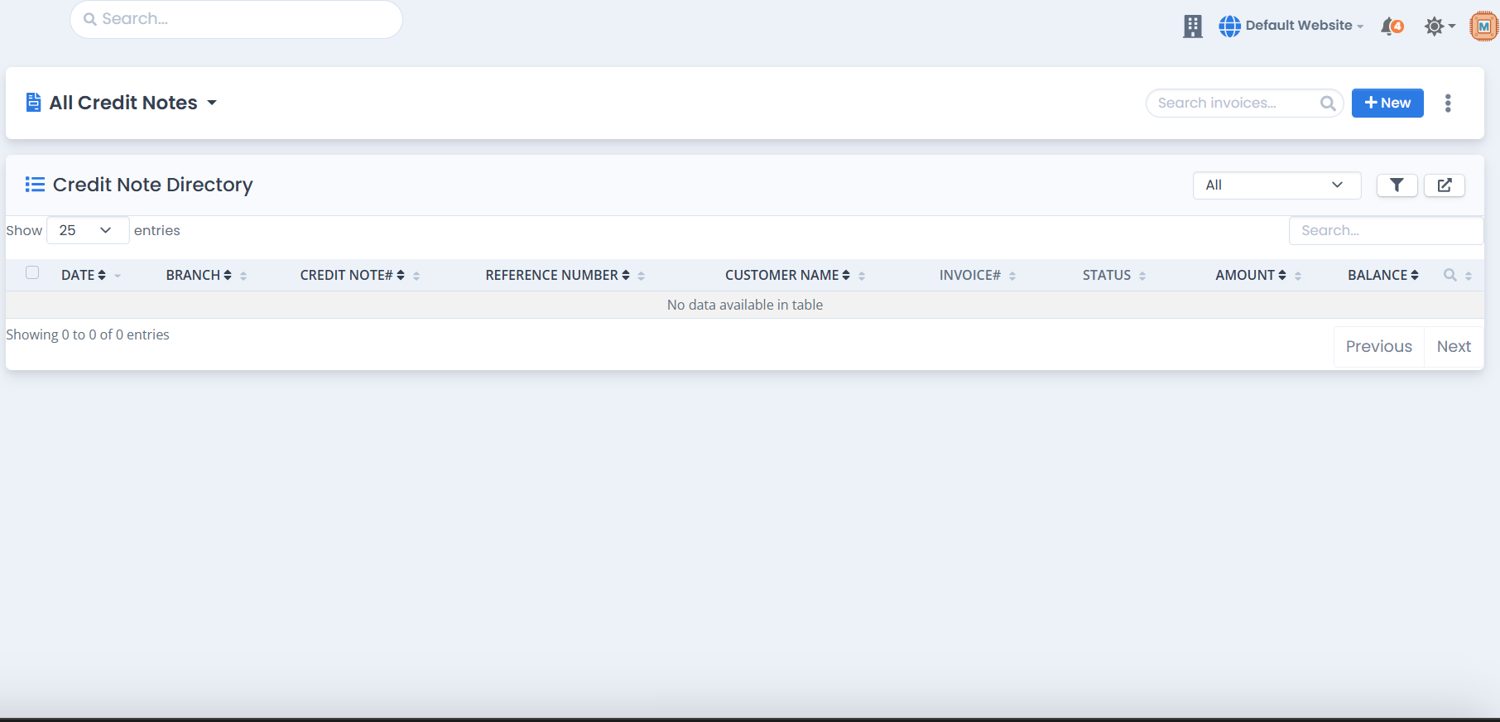
- Credit notes and recurring invoices for returns and repeat billing.
Purchase order status
Procure to pay
Purchase
Know what you owe, to whom, and by when.
Onboard a vendor once with tax and compliance details, then raise orders, book bills and pay them in part or in full. Cards on every list show what is due today, due within 30 days and overdue.
- Vendors with billing and shipping addresses, bank details and several contact persons.
- Purchase orders filtered by status and by billed, partly billed or unbilled.
- Bills keyed in or uploaded from a scanned invoice.
- Recurring bills for rent, retainers and subscriptions.
- Vendor credits for returns and overpayments, plus expenses with a receipts inbox.
Inventory control
An inventory control room, not just a stock list.
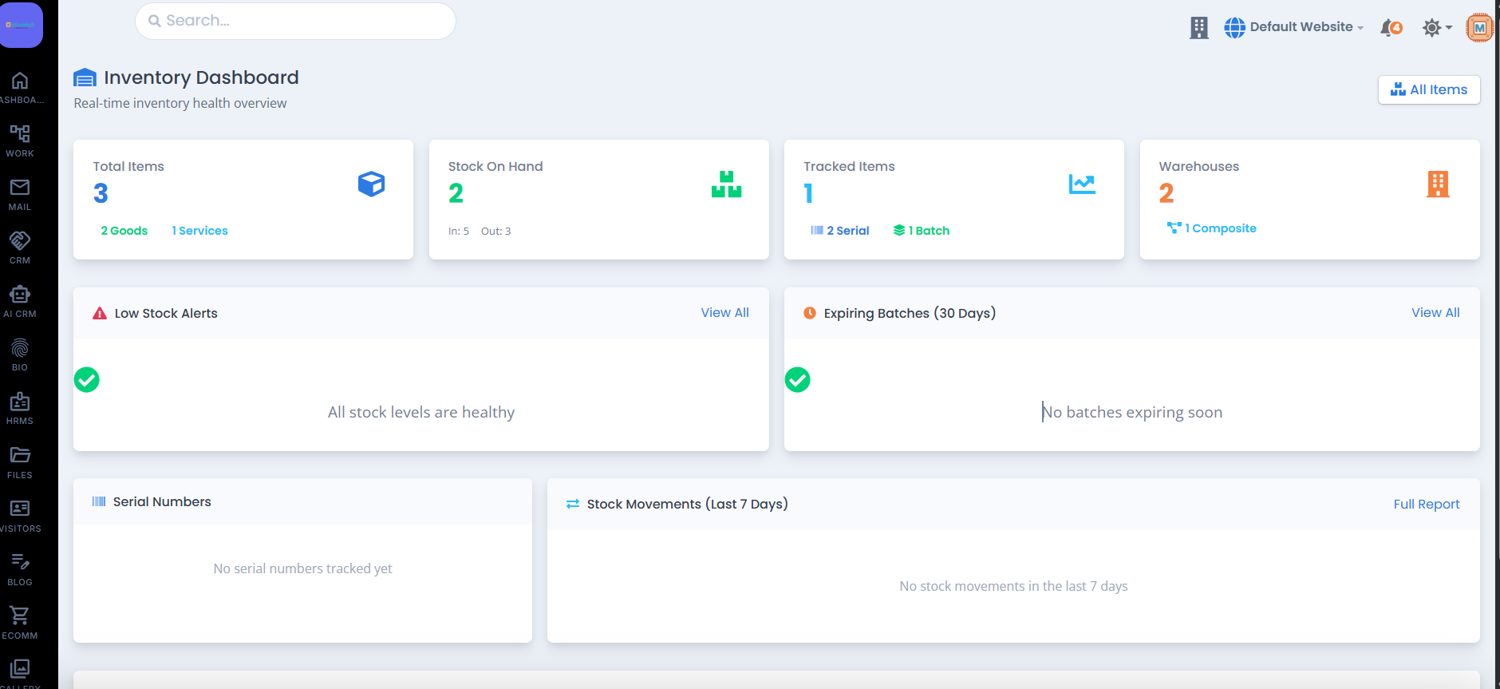
The dashboard tells a manager where to look first: item count, stock on hand, serial and batch tracking, warehouses, low-stock alerts, batches expiring in 30 days and the last seven days of movement.
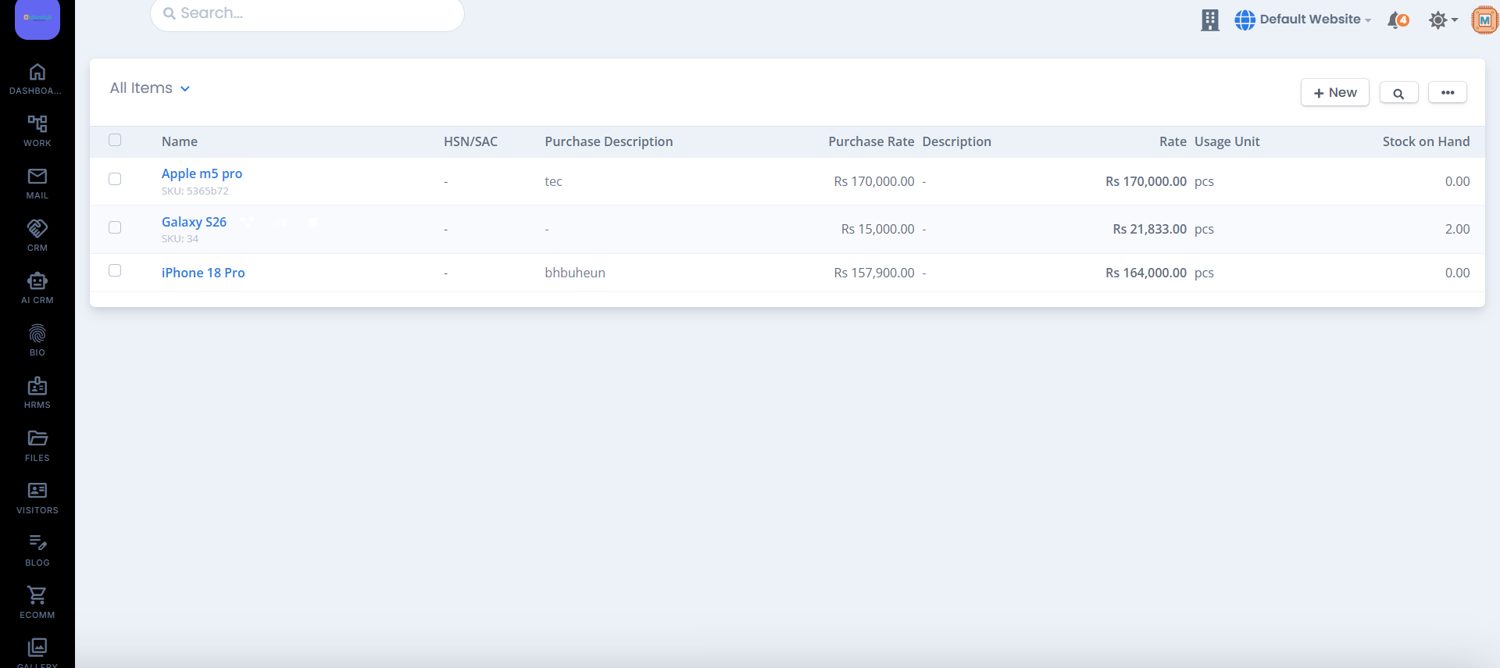
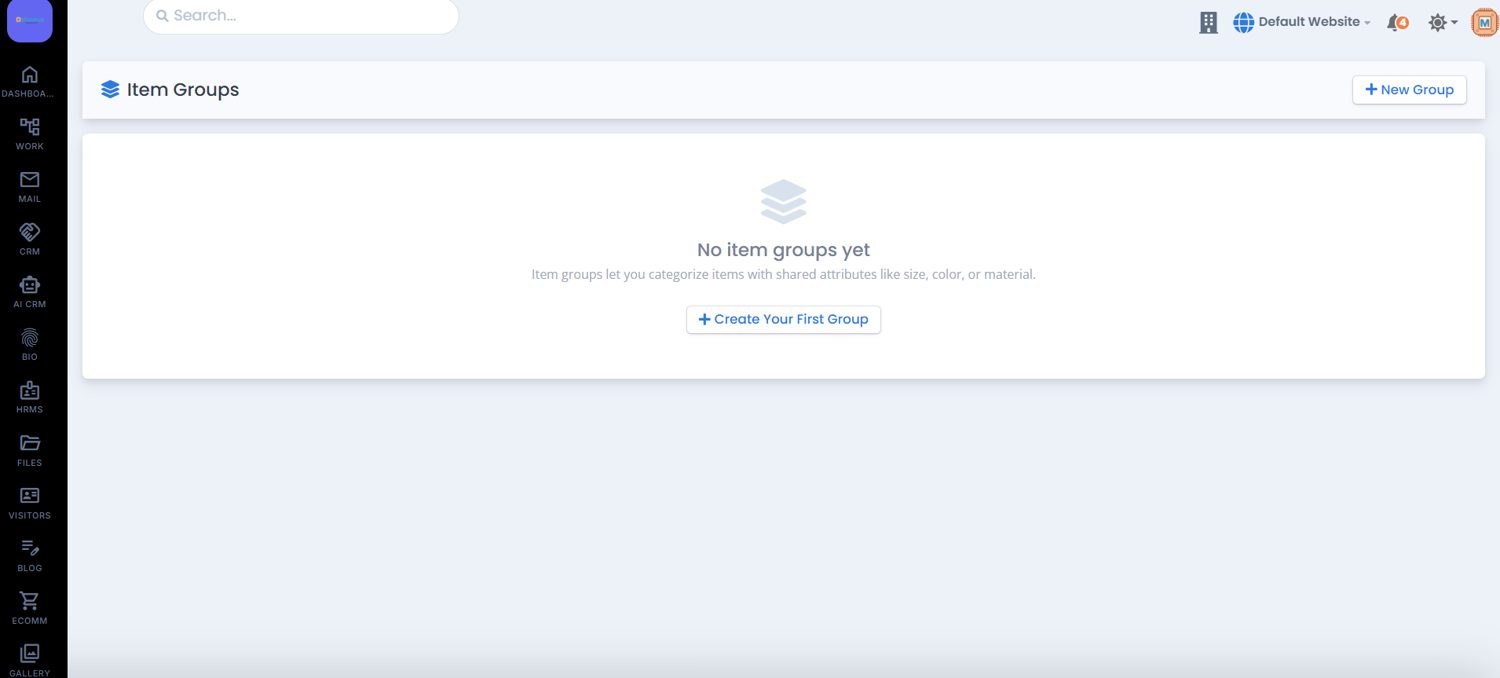
- Items and item groups carry SKU, HSN/SAC, purchase and sales rates and usage unit.
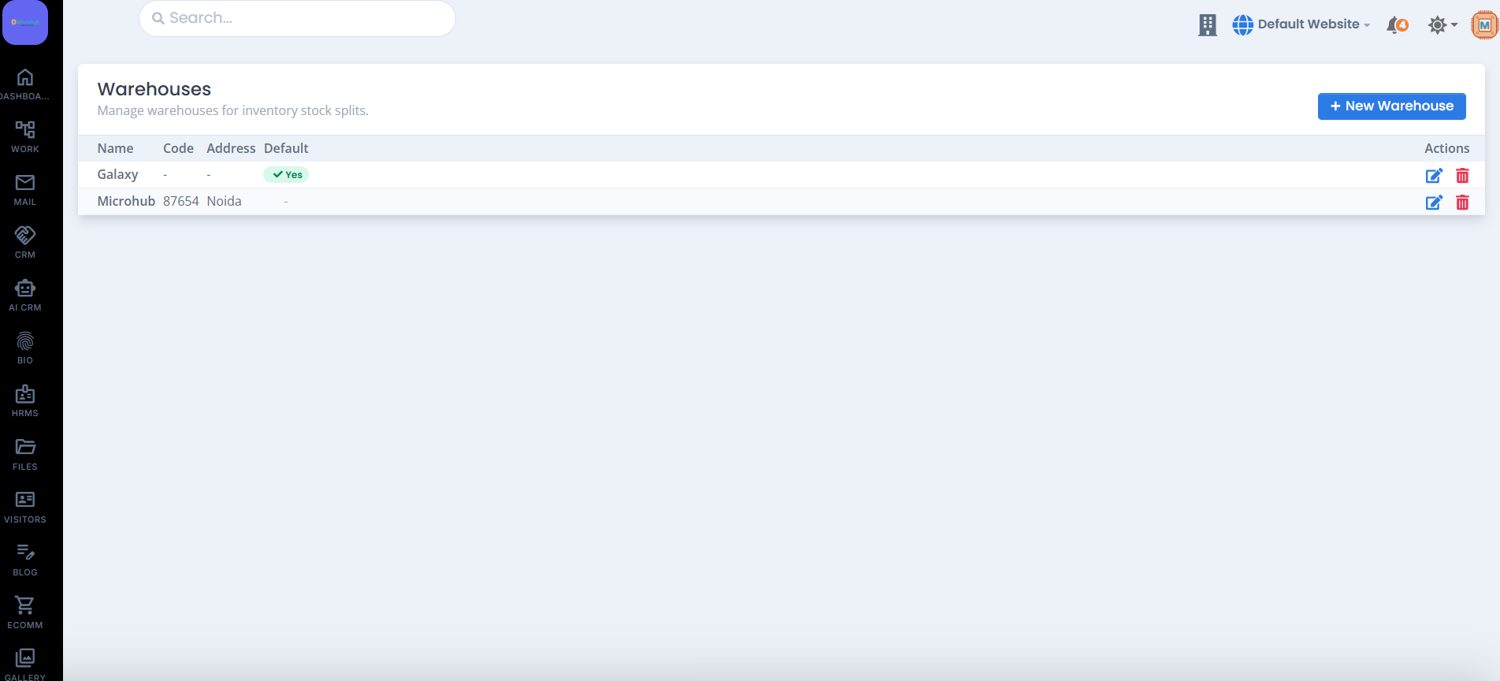
- Warehouses with name, code, address and a default location.
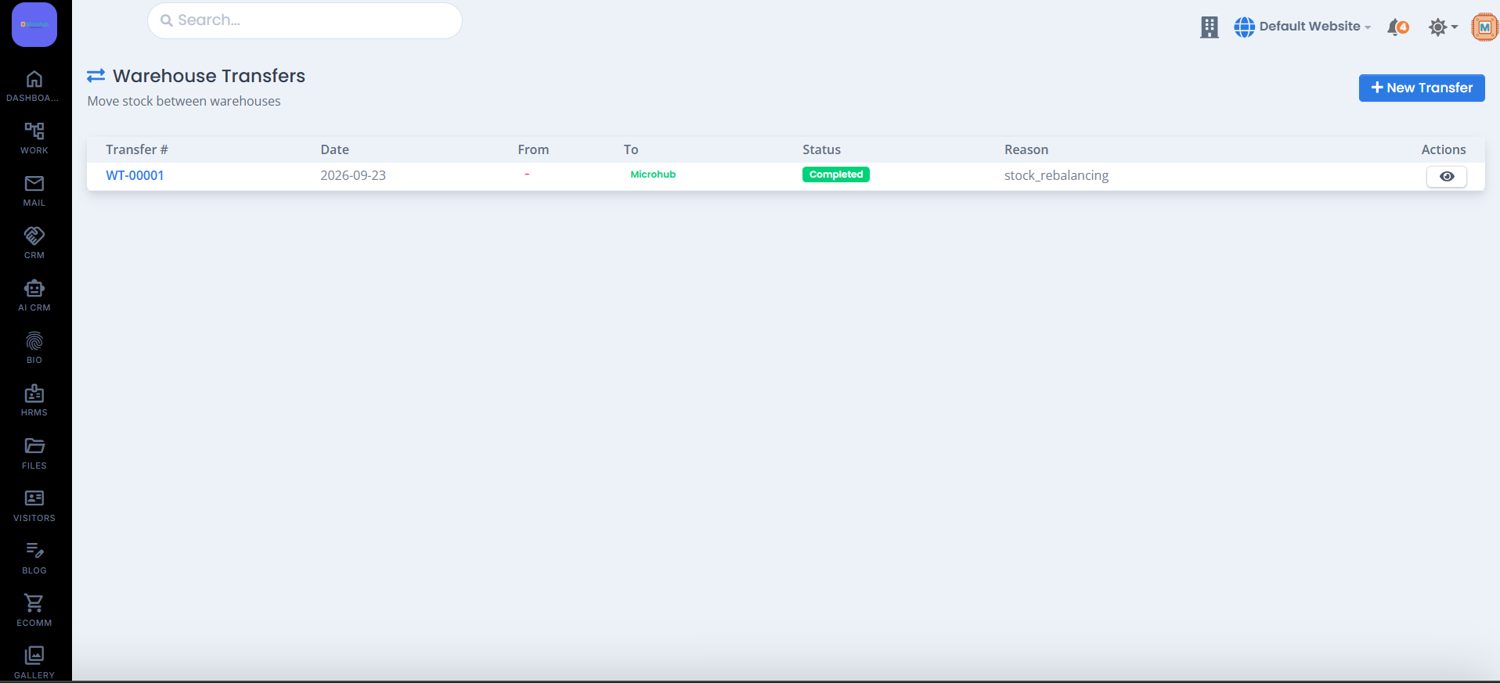
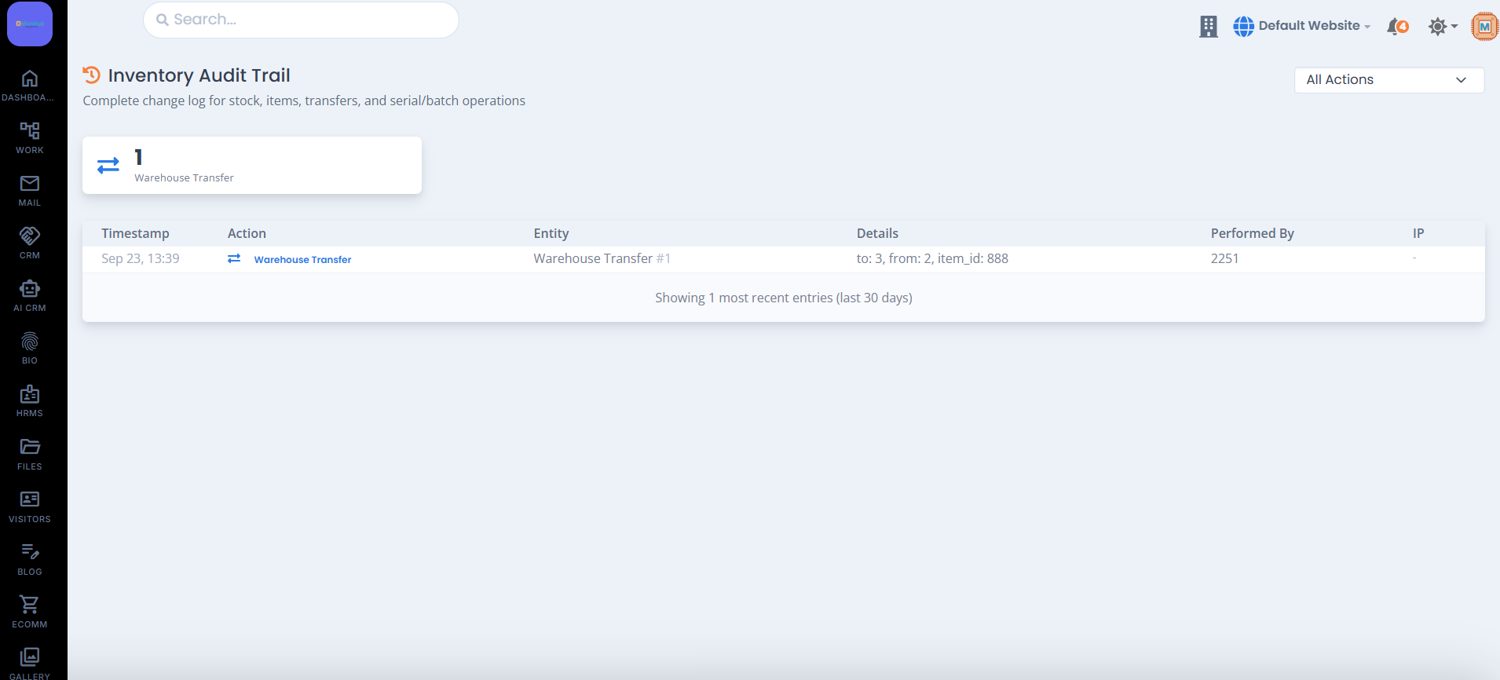
- Transfers record source, destination, status and reason for every move.
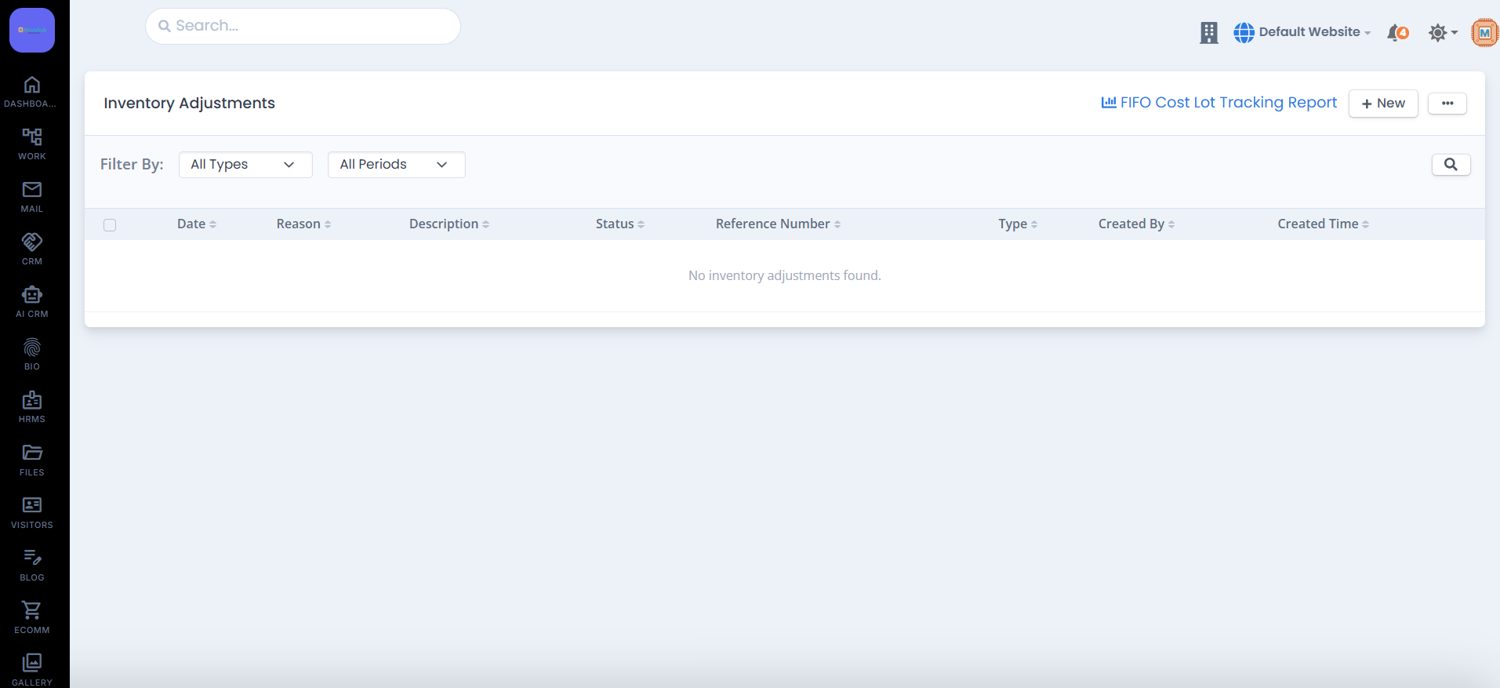
- Adjustments correct count differences, with a shortcut to the FIFO Cost Lot Tracking Report.
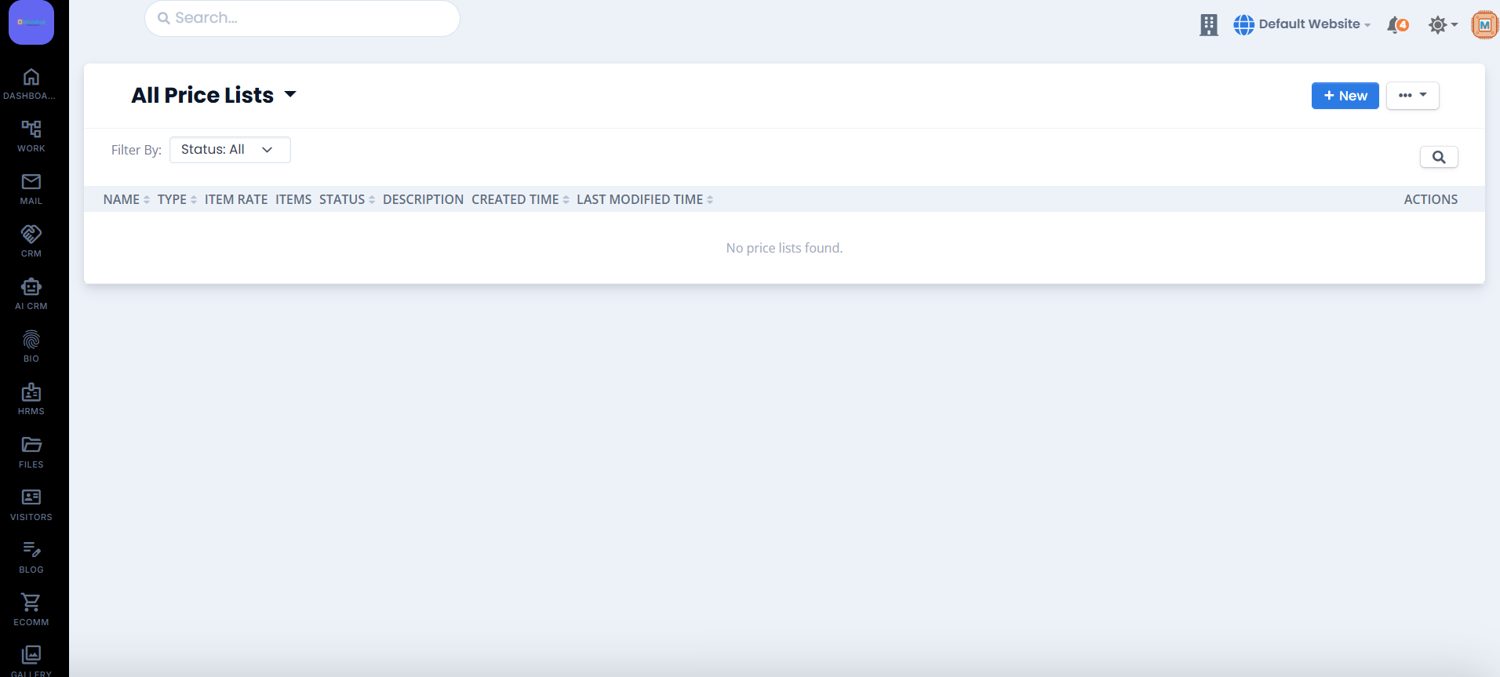
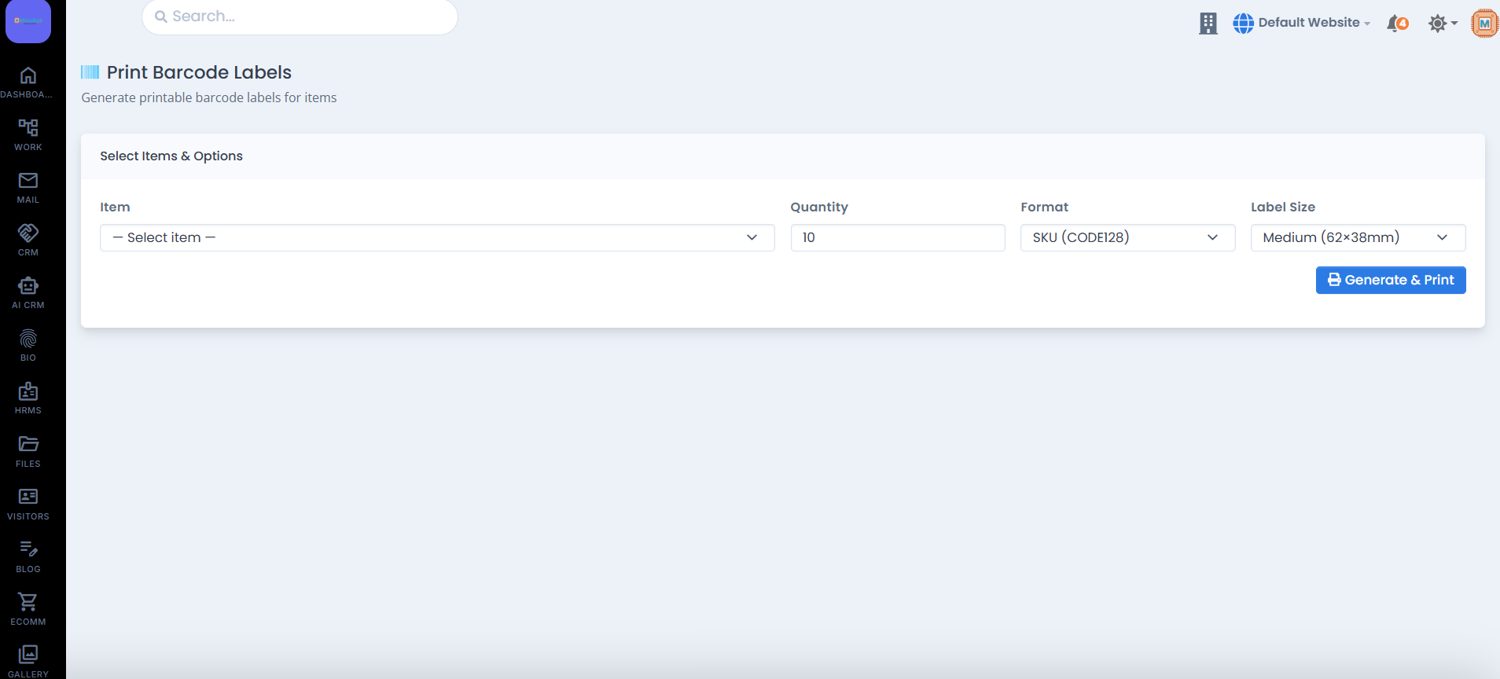
- Price lists and barcode labels by item, quantity, format and label size.
- Audit trail logs time, action, entity, details, who did it and from which IP.
Inventory reports
See stock health before it becomes a stock-out.
Inventory reports answer the weekly questions: what is on hand, what is running low, what moved, what it is worth and what has stopped selling.
- Valuation by weighted average, with total stock value, quantity and items valued.
- Ageing in four buckets, showing both item count and value per bucket.
- Turnover and velocity with turnover ratio, COGS and days of supply.
- Dead stock shows the capital tied up in items that have not sold.
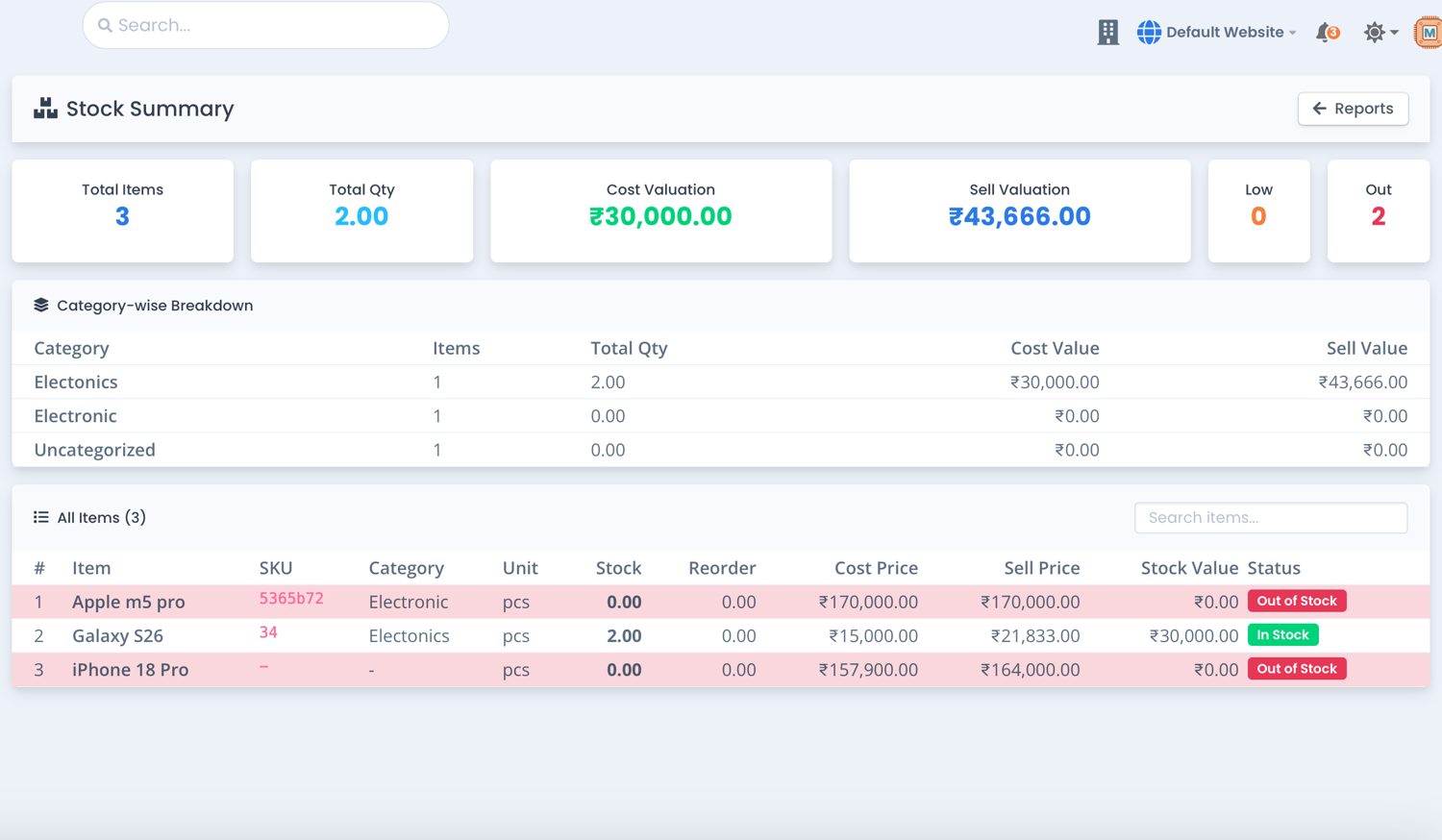
- Stock summary breaks quantity down by warehouse, including unassigned stock.
Distributor Integration · Ingram Micro
Order from the Ingram Micro catalog without leaving the CRM.
The Ingram Micro workspace sits directly inside your CRM. Browse live catalog SKUs, place purchase orders, track supplier quotes, verify invoices, discover promotional deals and process serialized returns without switching portals.
Dashboard
See the integration at a glance.
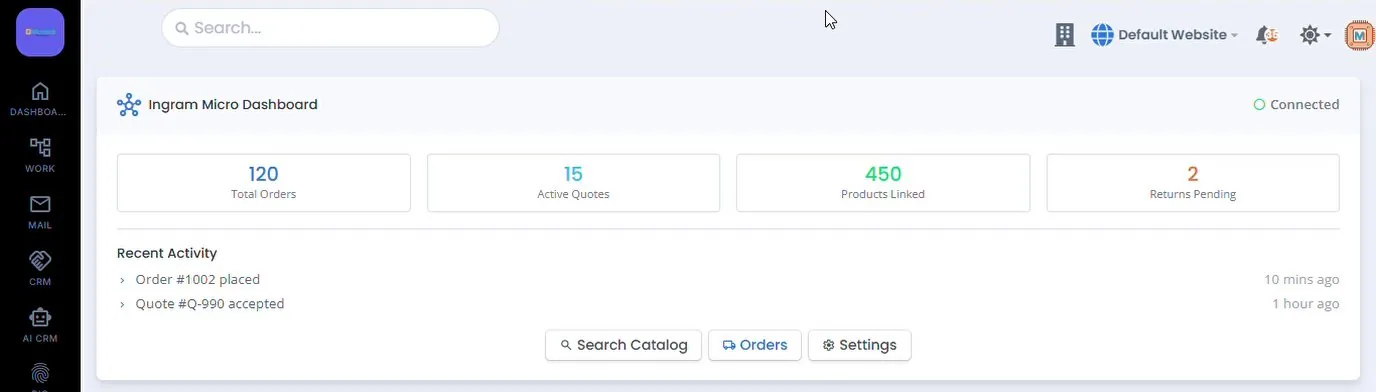
- Connection status in the top corner.
- Counters for total orders, active quotes, products linked and returns pending.
- Recent activity, such as orders placed and quotes accepted.
- Shortcuts to Search Catalog, Orders and Settings.
Connect and control distributor pricing in CRM Settings
One-time setup maps your Ingram Micro B2B credentials to the CRM product catalog, markup rules and GST tax master.
Banking
Every account balance, and what still needs a category.
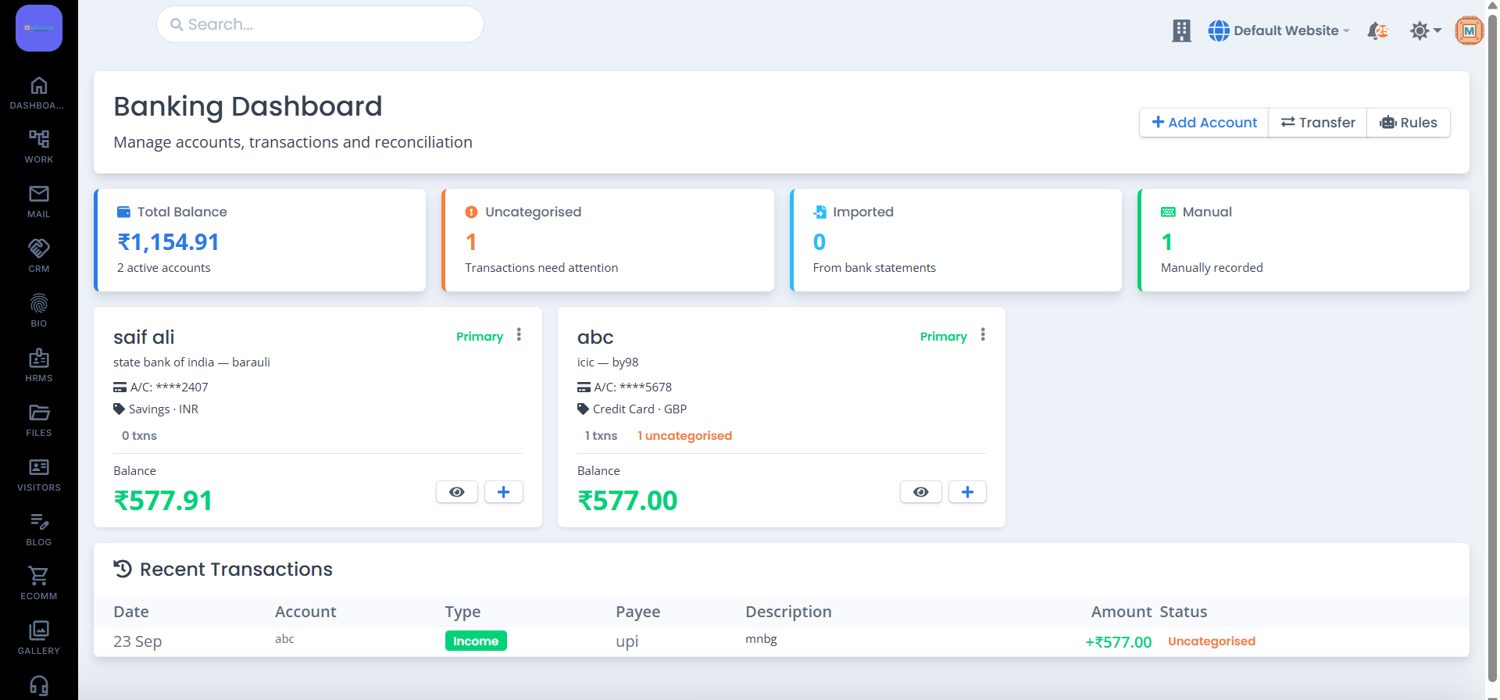
The banking dashboard shows total balance across active accounts, how many transactions need attention, and how many came from bank statements versus manual entry.
- Add accounts with bank name, IFSC, BIC/SWIFT, branch, currency and opening balance.
- Transfer between your own accounts with a date, reference and description.
- Transaction rules match a payee or amount and auto-categorise the entry.
- Reconcile an account for a period against your accounting records.
Accountant
Double entry, with the balance check built in.
Post a journal and the screen tells you live whether debits and credits agree. The same entries feed the statements.
CRM Reports and GST
Reports your accountant and your sales head both open.
One hub groups Sales Reports, Inventory Reports, GST Reports and the financial statements, with colour-coded KPIs and a six-month revenue trend.
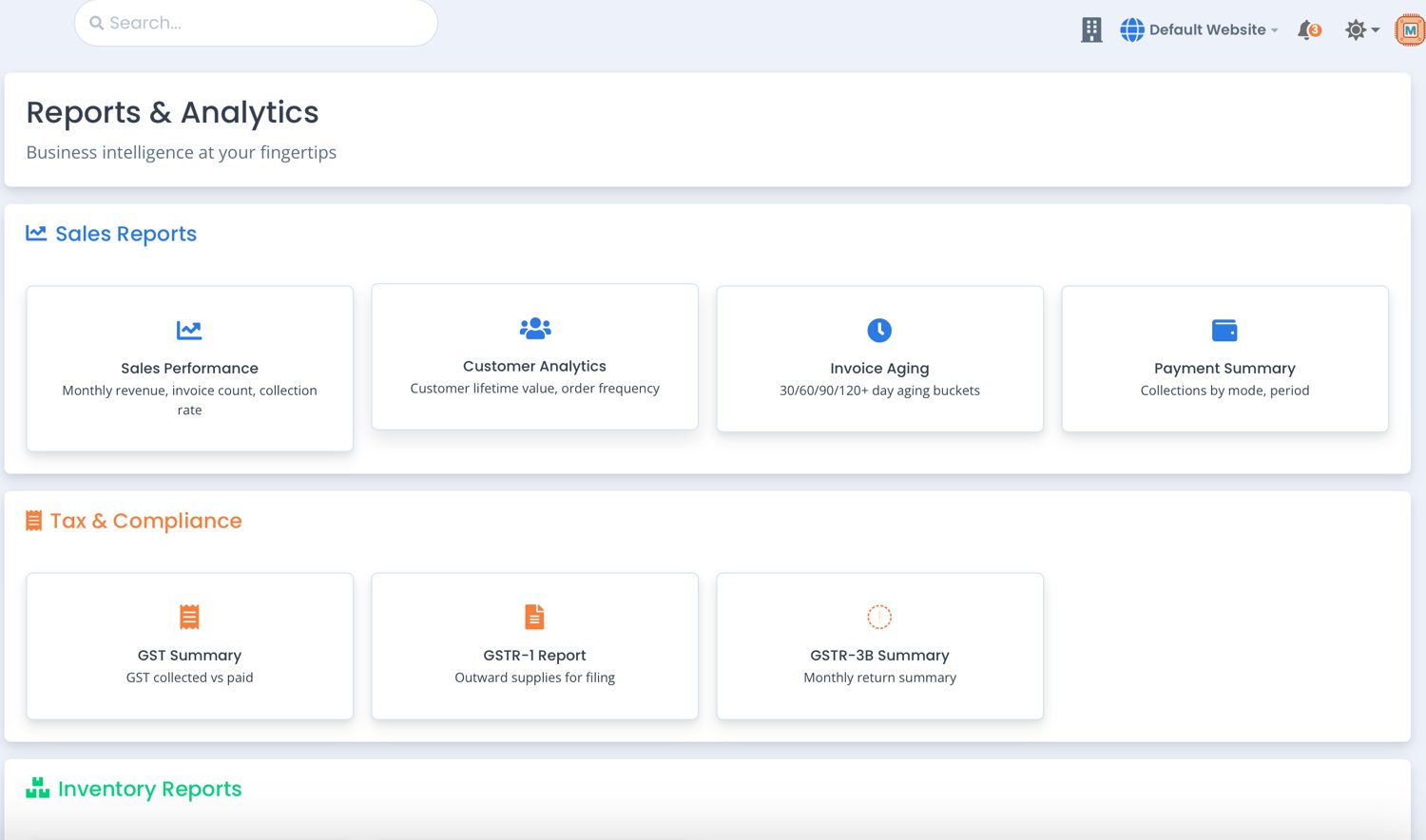
- Sales reports: sales performance, customer analytics, invoice ageing and payment summary.
- Tax and compliance: GST summary, GSTR-1, GSTR-3B and a date-filtered GST report with CGST, SGST and IGST.
- Inventory reports: stock summary with cost and sell valuation, and low stock alerts.
- Financial reports: trial balance, profit and loss, balance sheet and general ledger.
- Top customers and recent invoices link straight from CRM data.
Customer portal and setup
Let customers help themselves, and set the rules once.
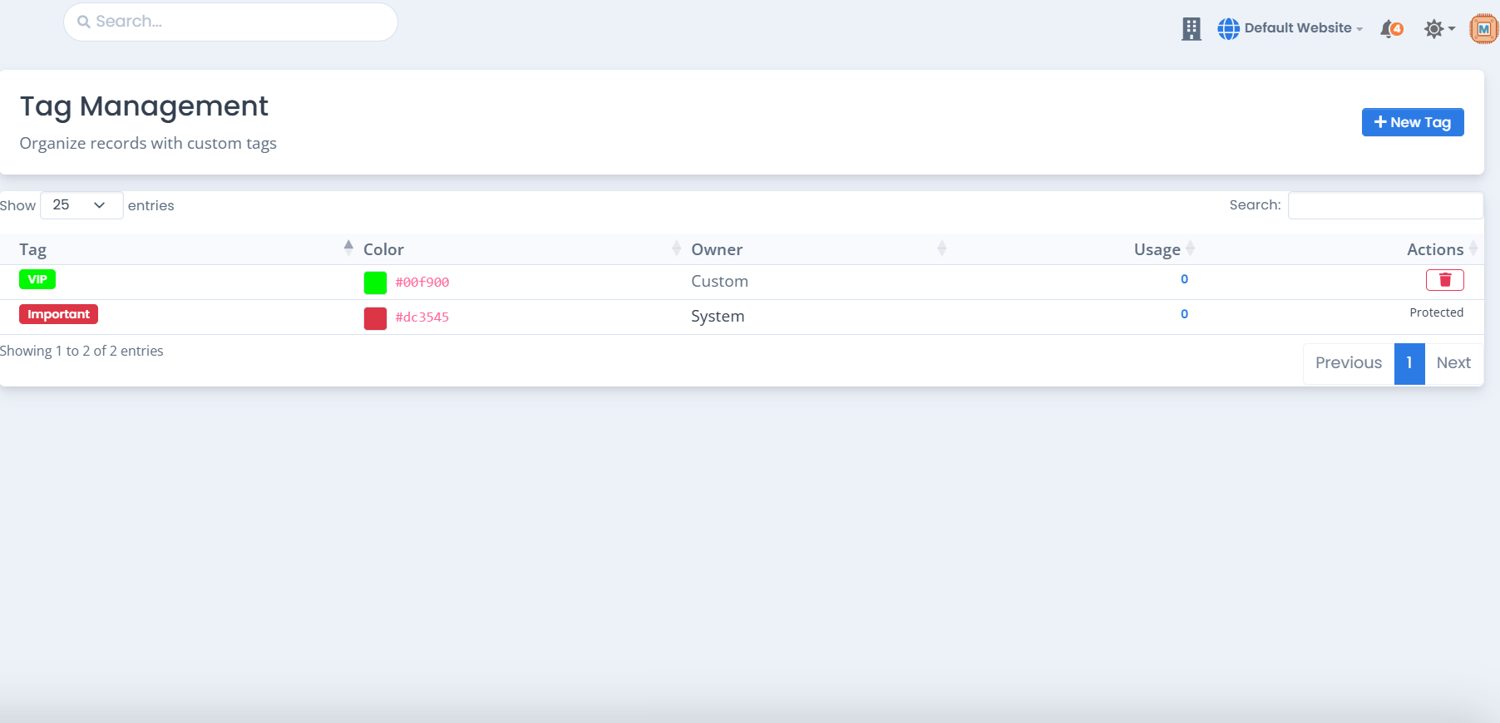
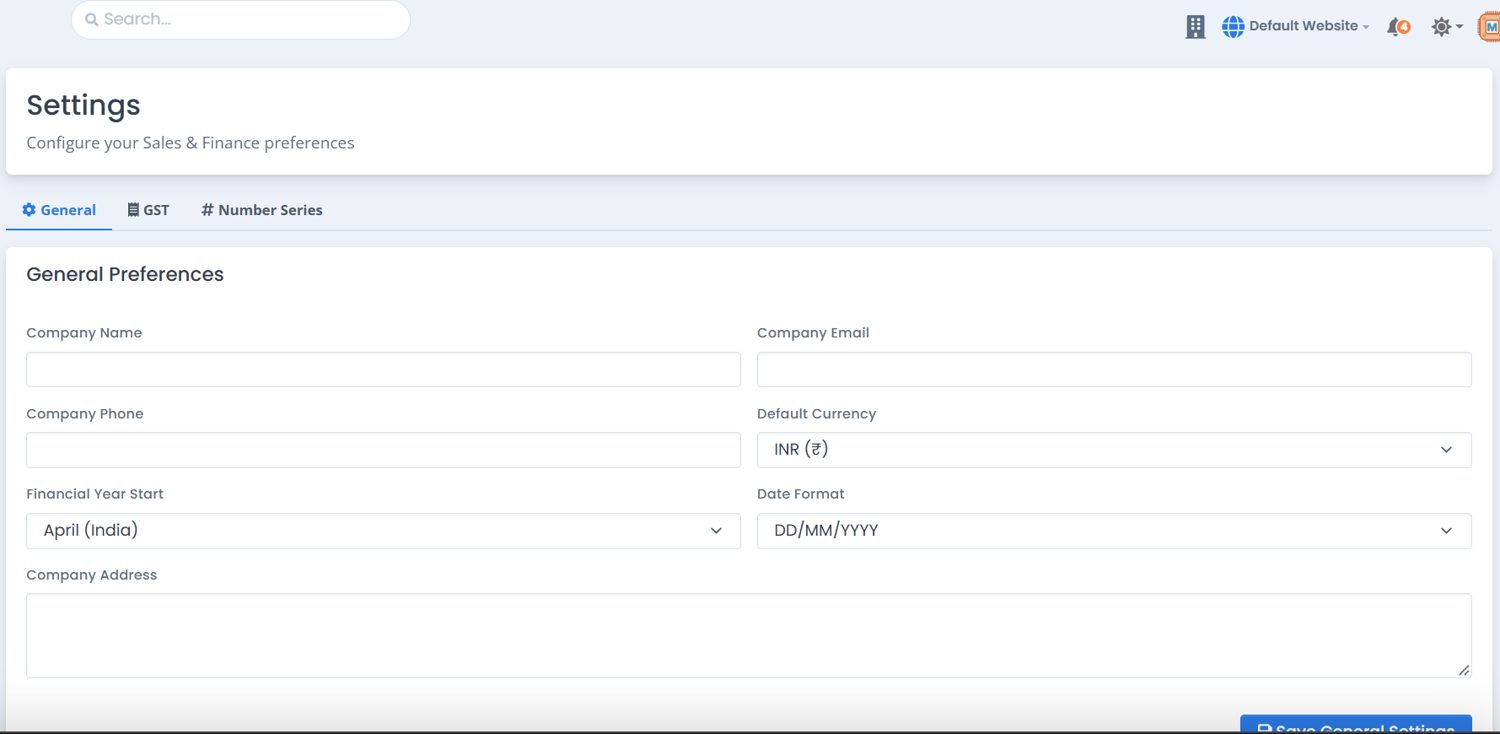
Switch on the portal to give eligible customers access to their documents and statements, with optional online payments. Tags segment records, and Settings holds company identity, currency, financial year, GST and number series.
How it connects
Enter it once. It lands in the right book.
Simple, Per-Organization Pricing
Scale as your business grows. All plans include GST invoicing, banking reconciliation and inventory tracking.
For small businesses up to 3 users.
- Up to 3 users included
- GST compliant invoicing
- e-Way bill generation
- Bank feeds & reconciliation
- Recurring invoices & auto reminders
- Customer & vendor ledgers
- Basic inventory tracking
For growing companies with 4–10 users.
- Up to 5 users included
- Everything in Starter
- Multi-GSTIN support (up to 2 GSTINs)
- Sales orders & purchase orders
- Multi-warehouse inventory
- Customer self-service portal
- Multi-currency transactions
- Automated workflow rules
- Priority phone & chat support
For large organizations.
- Unlimited users & custom roles
- Full CRM & Accounting Suite
- Multi-branch & multi-company consolidation
- Custom domain & client portal
- Dedicated Account Manager
- API Integration & webhooks
- On-premise deployment option
- 99.9% SLA & priority onboarding
* Prices are billed annually and exclusive of 18% GST. Need a custom deployment or more seats? Contact our sales team.
Your workspace is waiting.
Log in to pick up where your team left off: open quotes, unpaid bills, today's bank activity and this month's books.
Log in to Microhub CRM